Computer skills from scratch·Keeping the machine·Lesson 16 of 180
Wi‑Fi at home without mystery
 Ellis Dennis GrahamFounder, Cyber Elias Academy 2026-02-19 4 min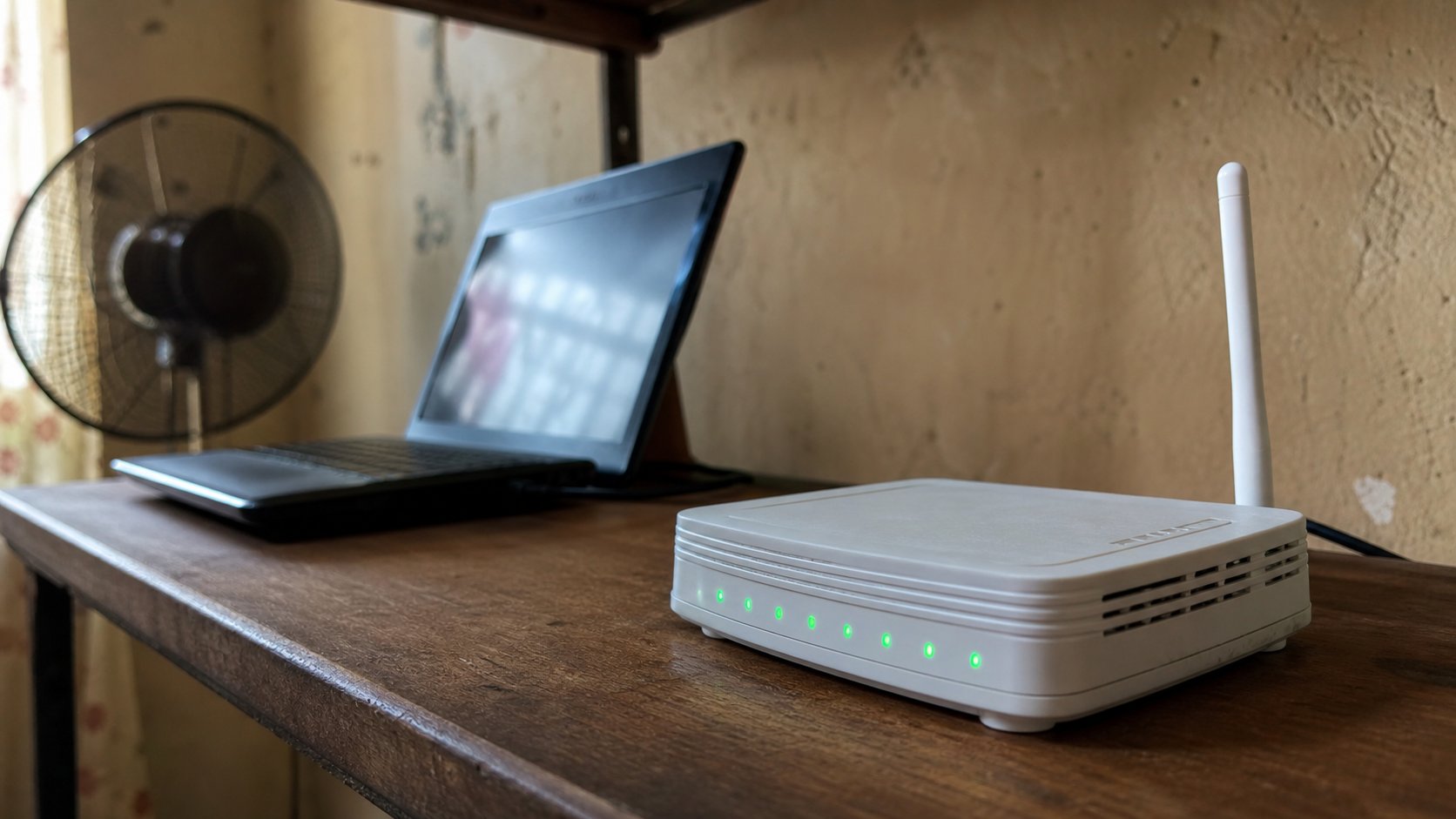
The router is a small radio. The laptop asks for the house name and the key on the sticker. If the internet dies, check the lights before you blame the website.
Wi‑Fi is a short radio conversation between a box in the house and the computer. The box is the router. The conversation is not the same thing as “the internet.” The internet is a pipe that arrives at that box — fibre, a SIM, a dish. Wi‑Fi is only the last few metres, through walls, to your laptop. When people say “the Wi‑Fi is down,” they often mean one of three different deaths. This lesson is how to tell them apart.
The router usually lives near the door, on a fridge, or under the television. It has lights. Those lights are the first diagnostic, cheaper than a technician. Power light on means the box is awake. A light labelled WAN, Internet, or a globe means the pipe has arrived. Lights labelled WLAN or Wi‑Fi mean the radio is talking. If power is off, nothing else matters. If power is on and the internet light is off, the radio can still look busy while every website fails. That is a pipe problem, not a laptop problem.
Joining the house radio
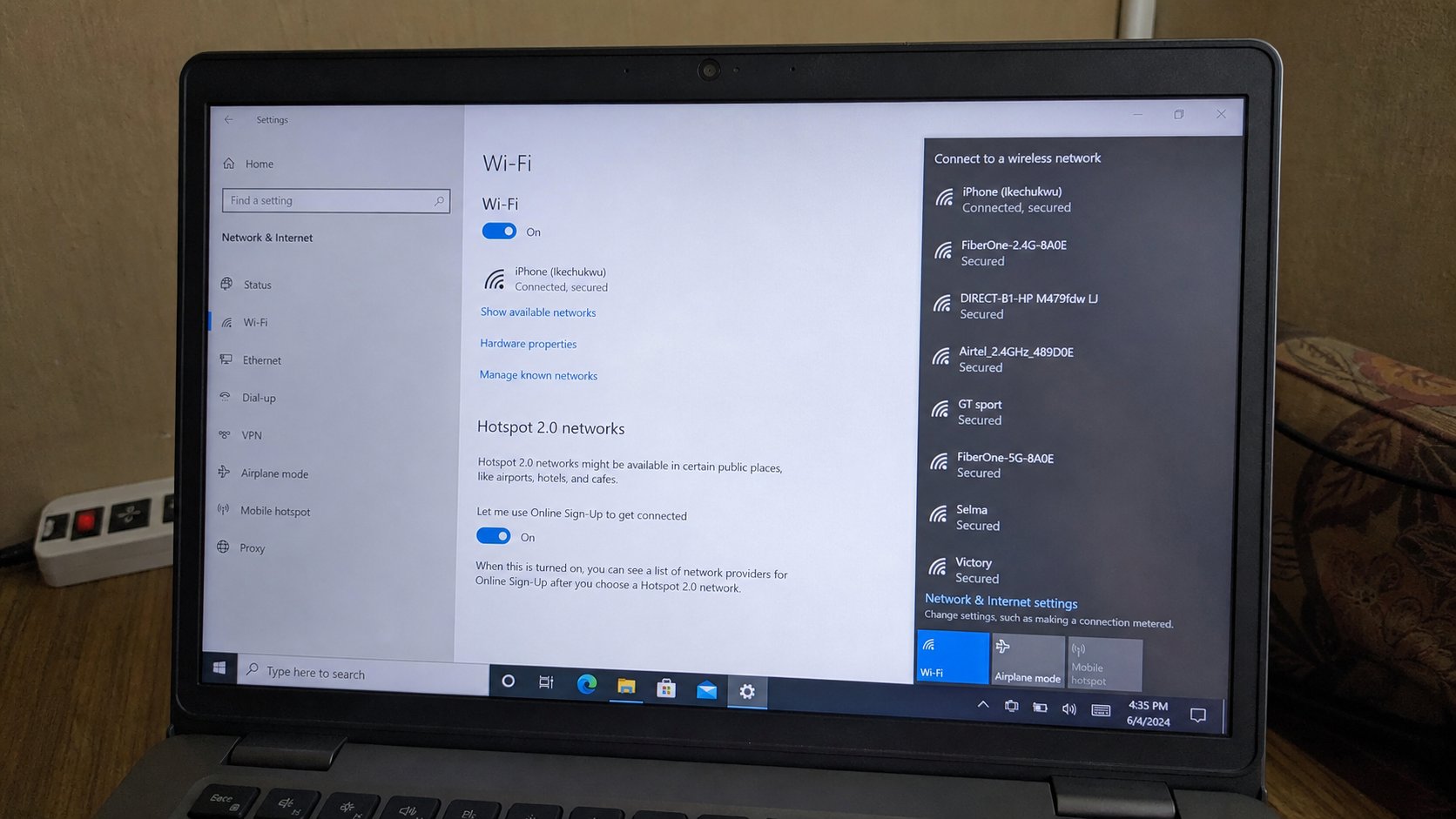
On Windows, click the fan-shaped icon near the clock, bottom-right. A list of names appears. Those names are neighbouring radios — yours, the shop downstairs, a phone someone is sharing. Click yours. Type the password from the sticker or from the person who pays the bill. Click Connect. A padlock on a name means it wants a key. An open name with no padlock is a stranger's door. Do not use café Wi‑Fi for the bank. You already know why.
The first time, Windows may ask “Is this a private network?” Private is home. Public is a shop. Private lets printers and folders see each other; public is ruder, which is what you want among strangers. On a Mac, the fan is top-right. Same list, same key. If the name is not in the list, you are too far from the box, the radio is off, or the name was changed and nobody told you.
When the fan is empty, or full of strangers
No list at all usually means the laptop's own radio is off. On many machines a function key with the same fan symbol, used with Fn, toggles it. A tiny physical switch on older laptops does the same. Airplane mode, borrowed from phones, also mutes Wi‑Fi. Turn it off. Then wait ten seconds. Radios are not instant.
Connected, but pages will not load: look at the router lights. Internet light dead — call the provider, or check the SIM in an LTE router, or the fibre box in the stairwell. Internet light alive — the problem may be DNS or a captive page. Open a new tab and type the provider's own site, or 1.1.1.1. If a login page appears (hotels, some estates), that page is the gate. Fill it. If nothing loads, restart the router: pull power, count to twenty, put it back. Restart the laptop only after that, and only if the box recovered and the laptop did not notice.
- Find the router. Read the sticker. Write the network name and the key in the notebook.
- On the laptop, open the fan list. Connect to that name. Confirm a small “connected” under it.
- Open the browser and type cea.ng. If it loads, the pipe and the radio are both working.
- If it does not, look at the lights before you change any password.
Sharing from a phone, and forgetting a network
A phone can be a temporary router: hotspot, or tethering. That is useful when the house pipe is dead and you have data. It will eat the phone's battery and the bundle. Turn it off when the laptop is done. The hotspot name and password live in the phone's settings; they are not the house Wi‑Fi. Do not leave a hotspot named “Android” open without a key in a compound.
If you typed the house password wrong too many times, Forget the network — in the same fan list, under the name, Forget — then join again slowly. Caps Lock is the usual villain, as it was on the keyboard lesson. And if a shop ever “set up Wi‑Fi” for you, change the sticker password in the router's own page later, or ask someone who already knows that page. A key the shop still knows is a key you do not fully hold.