Computer skills from scratch·Keeping the machine·Lesson 17 of 180
Shut down, sleep, and the power button
 Ellis Dennis GrahamFounder, Cyber Elias Academy 2026-02-22 4 min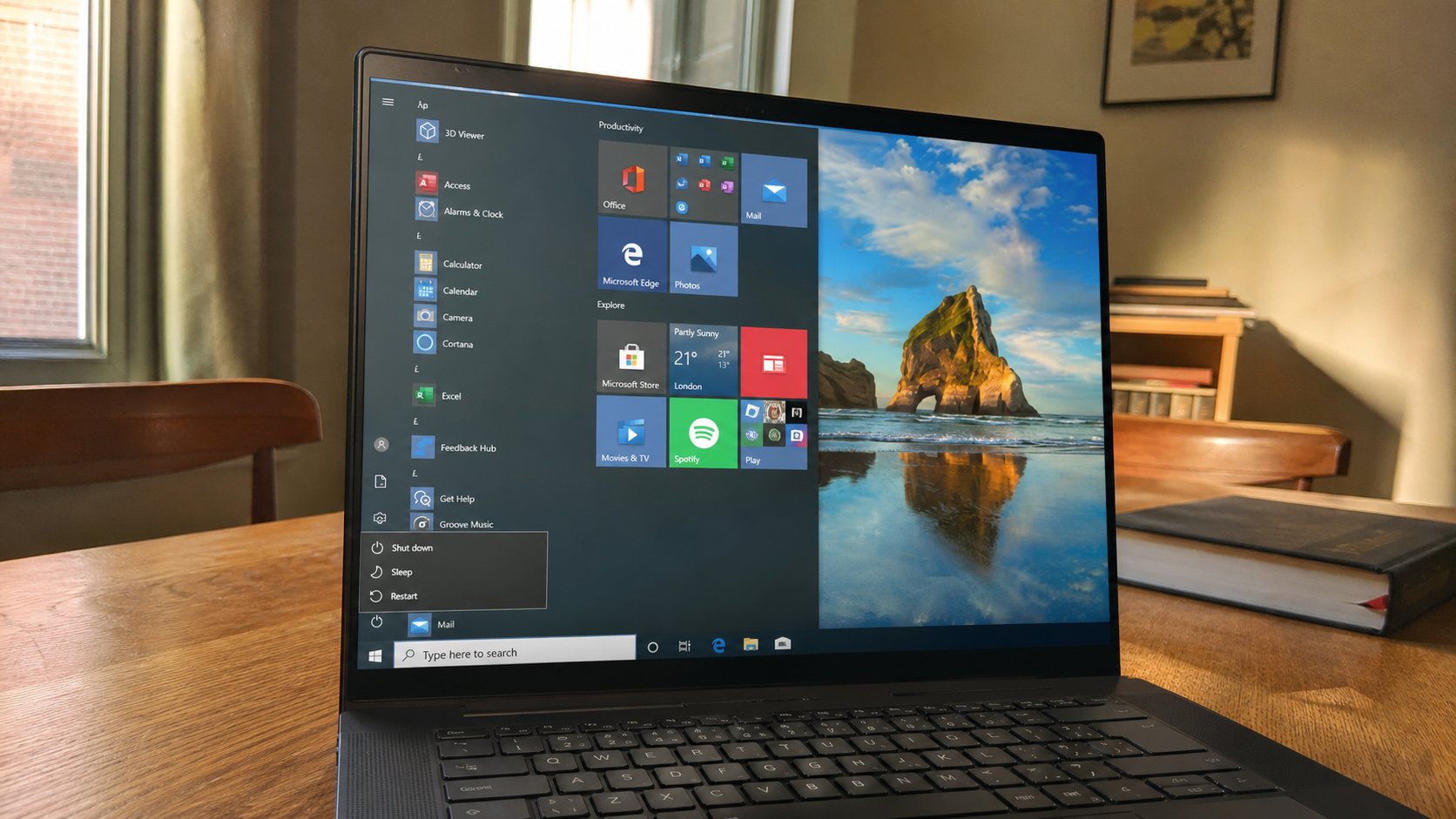
Closing the lid is not the same as leaving. Sleep is a nap. Shut down is going home. Holding the power button is a shove, for when the machine will not wake.
People treat the laptop like a phone: close the lid, walk away, open it tomorrow. Sometimes that is sleep, and the letter is still there. Sometimes the battery died in the bag, and the letter is not. Sometimes the machine is hot because it never stopped working in the dark. The power button is not one action. It is several, depending on how long you hold it, and whether the machine was already awake. This lesson names those acts so you choose them.
Awake is the sitting you already know: screen on, programs open. Sleep is a nap: the screen goes dark, the RAM keeps the work in a dim room, a small amount of battery still drains. Shut down is going home: everything closes, the disk rests, battery drain is tiny. Restart is going home and coming back immediately — useful after an update, or when a program is haunted. Hibernate, if you see it, is a deep sleep that writes the nap onto the disk so a dead battery does not erase it. Not every machine offers it.
The lid, the nap, and the bag
On most laptops, closing the lid asks the machine to sleep. That is convenient at a desk. It is a bad plan in a school bag. The machine may not sleep. It may stay awake, fan running, and arrive hot, or dead. If you are moving, shut down, or at least click Sleep from the menu and wait until the lights go, then close the lid. Do not assume the click of the lid is a promise.
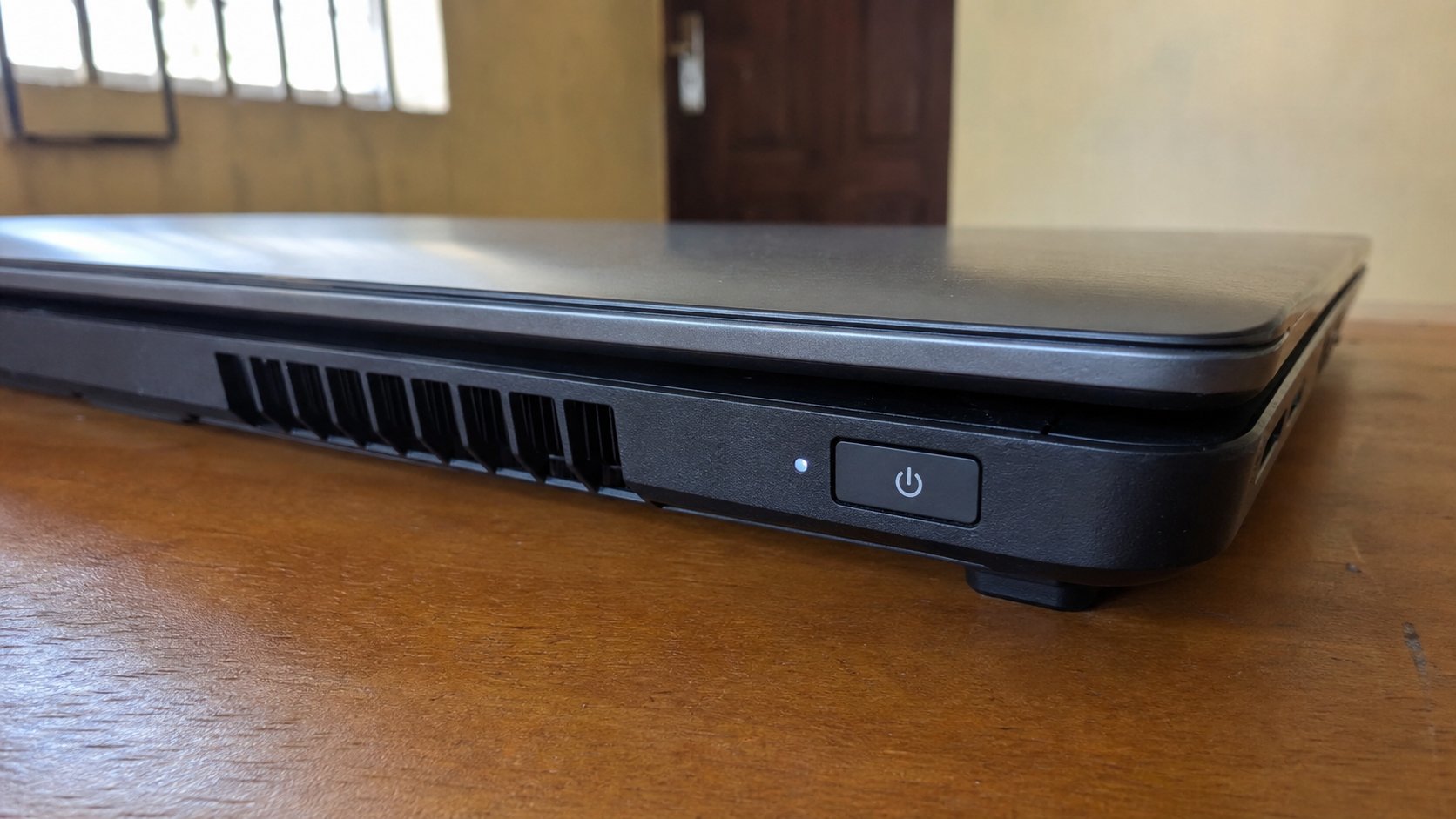
To wake from sleep, open the lid and tap a key, or press the power button once — once, not a hold. The screen should return to the lock picture, then your desktop, programs still open. If it does not, the nap ended in a shutdown because the battery finished. That is why unsaved work is a rumour. Ctrl+S is still the cheaper insurance.
Shut down as a habit
End of the day, especially if light is unreliable: Start, power icon, Shut down. Wait until the screen is fully dark and the lights die. Then close the lid. That is how a machine survives a night of NEPA and a generator that coughs. Restart is the same menu. Use it when a program freezes, after an update, or when the sound, the Wi‑Fi, or the screen has gone strange. Restart is a smaller medicine than a shove.
- Save every open document.
- Start, power icon. Look at the three words. Choose Sleep. Wait for the screen to go dark. Tap a key. Confirm your letter is still there.
- Then Start, Shut down. Wait for darkness. Press the power button once to start again.
- Do not practise the long hold today. Know it exists. It is for a frozen screen that ignores the menu.
When the screen is frozen
If the pointer will not move and Shut down will not open, wait thirty seconds. Some freezes are a disk catching up. Then try Ctrl+Alt+Delete — three keys together — which on Windows often offers Task Manager or a sign-out. If nothing, the long hold on the power button until the machine dies. Count slowly to ten. Then wait another ten before starting it. That shove can lose unsaved work. It should not be how you leave every evening.
A desktop tower's power button is the same family: one press to start, one press often to sleep or to ask Windows to shut down, a long hold to force. The monitor has its own button; turning off only the screen is not shutting down the computer. The box under the desk may still be working, quietly, for hours. If you can hear the fan after you “left,” you have only darkened the window.