Microsoft Office
Documents, spreadsheets and presentations you can actually produce.
- Course fee
- ₦30,000
- Duration
- 3 weeks
- Sessions
- 6 · 2 per week
- You leave with
- A formatted document, a working spreadsheet and a presentation
About this course
Take a beginner from knowing little or nothing about productivity software to being able to create useful documents, spreadsheets and presentations without help.
Office skills are the quiet gatekeeper of Nigerian employment. Almost every clerical, administrative, sales, logistics, church-office and small-business role in the country asks for 'knowledge of Microsoft Word and Excel', and most applicants cannot produce a clean document or a working total when asked. This course fixes that in three weeks of hands-on practice.
What you will be able to do
- Produce a professionally formatted business document from a blank page
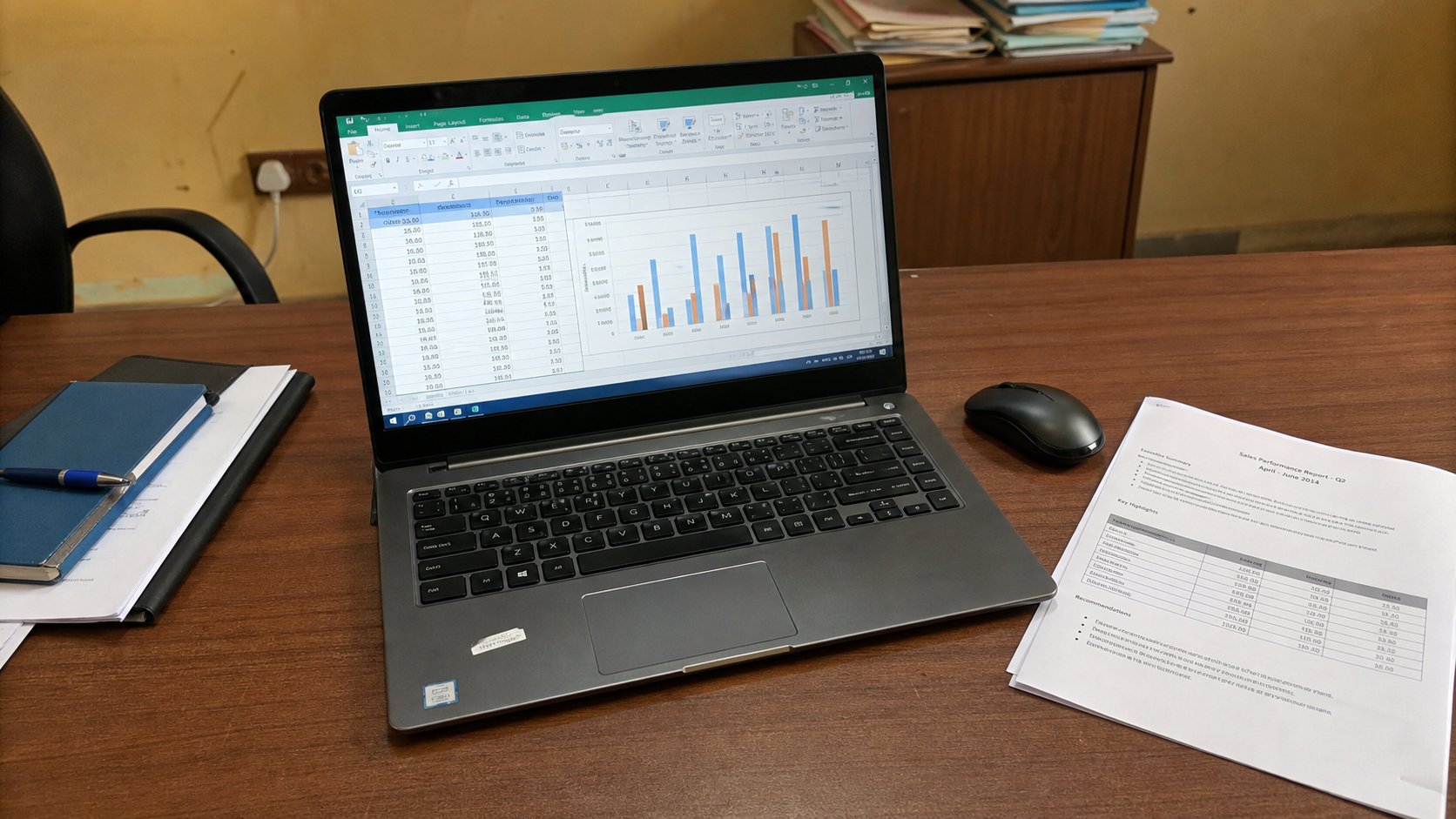
- Build a working spreadsheet with formulas, sorting and charts
- Design and deliver a 5–7 slide presentation from scratch
- Export, print and share work in the formats employers expect
The deliverable
Certificate requirement
A formatted document, a working spreadsheet and a presentation
You leave with a CV or business letter exported to PDF, an expense or sales sheet with live formulas and a chart, and a 5–7 slide presentation you have presented aloud to the class.
How the course is assessed
Level 1
Know
You can explain the concept, name the tools involved and recognise the difference between doing it well and doing it carelessly.
Level 2
Do
You can perform the task independently, without the instructor repeating the steps, and fix the obvious problems when they appear.
Level 3
Create
You can use the skill to produce something a real person would pay for — a document, a design, a website, a report, a repaired machine.
Week by week
3 weeks, 6 practical sessions. Click any session to read the complete class lecture — objectives, taught content, the instructor demonstration, practice, mistakes to avoid, homework and the marking rubric.
Week 1 — Microsoft Word
The interface, creating and saving documents, then the full formatting toolkit that separates a school assignment from a business document.
- Session 1105 min · 13 min read
Word Fundamentals
- What Microsoft Word is used for
- Opening Word
- Understanding the interface
- Ribbon and tabs
- Document area
- Status bar
- +12 more
- Session 2105 min · 14 min read
Document Formatting
- Fonts
- Font size
- Bold, italic and underline
- Text colour
- Highlighting
- Alignment
- +9 more
Week 2 — Professional Word + Excel fundamentals
Layout, tables, headers, printing and PDF export — then the spreadsheet mental model: cells, references, formats and the five formulas that do most real work.
Week 3 — Practical Excel + PowerPoint
Sorting, filtering, percentages and charts, then building and delivering a presentation that holds a room.
Microsoft Office — questions
The things prospective students actually ask before enrolling.
I have never used a computer before. Is this course too advanced for me?+
No. Session one starts at opening the application and naming the parts of the screen. The only prerequisite is willingness to practise. Learners with no prior computer experience normally finish this course comfortably; if you have never used a mouse and keyboard at all, take Typing & Computer Basics first and move into this course in the next rotation.
Do I need to buy Microsoft Office?+
You need access to Word, Excel and PowerPoint for the sessions and for homework. You can use a free trial, a school or workplace licence, or the academy's practice machines during class hours. Web versions at office.com work for most exercises, though a few formatting features behave slightly differently from the desktop app and we point those out in class.
Is this the same as learning Google Docs and Sheets?+
The ideas transfer almost completely — documents, spreadsheets, formatting, formulas — but Nigerian employers, schools and government offices overwhelmingly send and expect .docx and .xlsx files, which is why the course is taught in Microsoft Office. We show you where the equivalent lives in Google Workspace so you are not stranded when a client works there.
What exactly do I take home at the end?+
Three files that belong to you: a formatted CV or business letter exported to PDF, a spreadsheet with working formulas and at least one chart, and a presentation you have delivered. That is the certificate requirement, and it is also the evidence you attach to job applications.
How are the two sessions per week scheduled?+
Two practical sessions per week, each 1.5–2 hours depending on the timetable you join. Sessions are consecutive in skill — session two builds directly on session one — so if you miss one, tell the instructor before the next class and you will be given the demonstration recording and the practice brief to catch up.
Will this help me get a job?+
On its own, Office skills are entry-level, but they are the specific entry-level requirement in most Nigerian administrative, sales-support and clerical job adverts. What actually gets you the interview is being able to demonstrate the skill immediately: a CV you typeset yourself, a reconciliation sheet you built, a proposal deck you designed. That is why the course ends in artefacts rather than a written test.
Other courses in Office & Data

Typing & Computer Basics
Go from nervous around a computer to independently confident with one.
₦20,000 · 2 weeks
Data Entry
Accuracy first: handle real business data without introducing errors.
₦20,000 · 2 weeksDigital Productivity
Google Workspace, email discipline and cloud storage that saves hours weekly.
₦30,000 · 2 weeks