Computer skills from scratch·Finding your way·Lesson 40 of 180
When there is no sound
 Ellis Dennis GrahamFounder, Cyber Elias Academy 2026-04-21 3 min
Silence has a checklist: mute, headphones, the wrong speaker, the player, then the driver. A pop-up “audio fixer” is not on the list.
No sound feels like a hardware funeral. Usually it is a closed tap, a pair of earphones Windows still believes in, or a video muted inside itself. You already have the volume lesson. This one is the order to walk when those taps failed, so you do not format a laptop because YouTube was quiet. The speaker inside a laptop is a small, cheap thing, but it rarely dies without a crack or a drowning first.
Walk the list without skipping. Mute off, tray slider up. Unplug headphones, including a jack that was half in. Click the tray speaker, choose Speakers or the laptop's real name, not Headphones or HDMI when nothing is plugged in. Play a different file — a second video, a Windows test beep in Settings, Sound. If one video is silent and another is not, the first player is the tap. If everything is silent, keep walking.
The mixer, and the HDMI thief
Right-click the tray speaker, Open volume mixer. Each program has a slider. One of them may be at zero. Raise it. If you had a projector or a TV connected, sound may still be hunting HDMI. Windows+P, PC screen only, then choose Speakers again. Restart after unplugging the extra screen if the list is haunted.
Settings, System, Sound, Output. Pick the laptop speakers. Click Test. A chime should play. If Test is silent but the device is listed, a driver may have fallen over — Restart first, always Restart before a shop. If the list is empty, Windows cannot see a speaker. That is more serious, and still not a banner “fixer.”
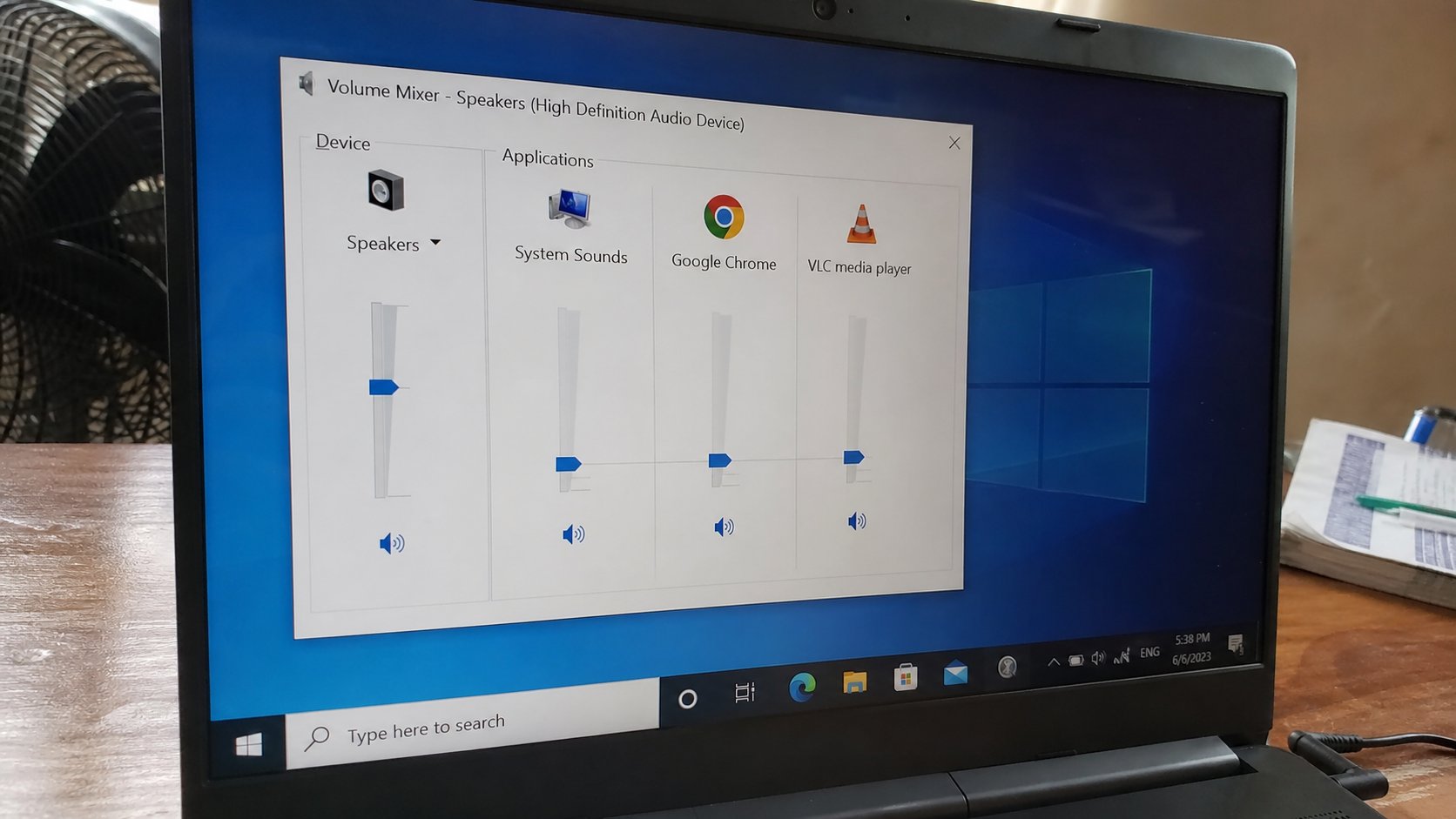
- Unplug headphones. Unmute. Slider up. Play a short video.
- Tray speaker, choose Speakers. Test in Settings, Sound.
- Open the mixer. Confirm no program is at zero.
- Restart. Try again. Only then ask a person, with what you already tried named in one sentence.
What not to download
A page that says “audio driver outdated — download now” from a pop-up is the same family as the fake update. Close it. Real driver updates live in Windows Update, or the laptop maker's own site, walked to on purpose. A shop can test the speaker with a known file in five minutes. Backup first if they will keep the machine.
Bluetooth earphones connected and sitting in another room will steal output. Disconnect them. A USB headset still plugged in will do the same. Silence is almost always a path to the wrong door. Open the right door, then listen. If after restart, Speakers, mixer, and a second file you still hear nothing, and the laptop never cracked or drank water, then a helper. You will not have wasted their time. You will have already walked the house.