Computer skills from scratch·The workshop and the bench·Lesson 171 of 180
When the screen stays dark
 Ellis Dennis GrahamFounder, Cyber Elias Academy 2026-09-14 5 min
The power light breathes, the fan spins up, but the glass screen stays as dark as midnight. How to test the light, the memory stick, and the TV cord before anybody touches a screwdriver.
You sit down on your plastic chair in the morning, ready to type a document. You press the round power button. The little blue light comes on beside your thumb. You hear the fan let out its soft morning sigh. You can feel the slight hum of the machine waking up on the table. But the glass screen in front of you remains completely black — as dark and dead as a turned-off television. You tap the Spacebar, you shake the mouse, you click the buttons. Nothing moves. In that quiet room, your chest tightens: 'Is my screen broken? Did the board fry? Where will I find one hundred thousand naira to fix this before work starts?'
Before you panic, take your hands off the keyboard and breathe. A screen that stays dark is not always a dead screen. Think of a computer screen like a church window made of coloured glass. The picture is the coloured glass, but behind the glass is the sun shining through from outside so you can see the colours. If the sun goes down, the church window looks completely black from inside the room — but the glass is not broken. The picture is still there, waiting in the dark for a beam of light. Laptops work the exact same way.
The phone torch and the television cord
Here is the five-second test that saves families thousands of naira every week. Take your smartphone, turn on the flashlight torch, and hold the bright light right against the dark laptop screen. Lean in very close and tilt the phone at an angle. Look directly where the light hits the glass. Can you see a very faint, shadowy outline of your mouse arrow? Can you see the faint grey box where you normally type your Windows password? If you see even the faintest ghost of your desktop hiding under the glass, shout thank you: your screen is not broken! The computer is working, the glass is drawing the letters, but the tiny light strip behind the glass failed to turn on. That is a small wire or fuse problem, not an expensive new screen.

The second test uses the television in your parlour. Take the black HDMI cord you use for your DSTV or decoder. Plug one end into the side of the laptop and the other end into the TV. Turn the TV on, change the input to HDMI, and press the Windows key and the letter P together on the laptop keyboard. If your familiar desktop picture suddenly appears bright and clear on the big television screen, rejoice: the brain of your computer — the motherboard, the processor, your files, your pictures — is completely untouched! The trouble is only in the hinge wire going up to the laptop lid.
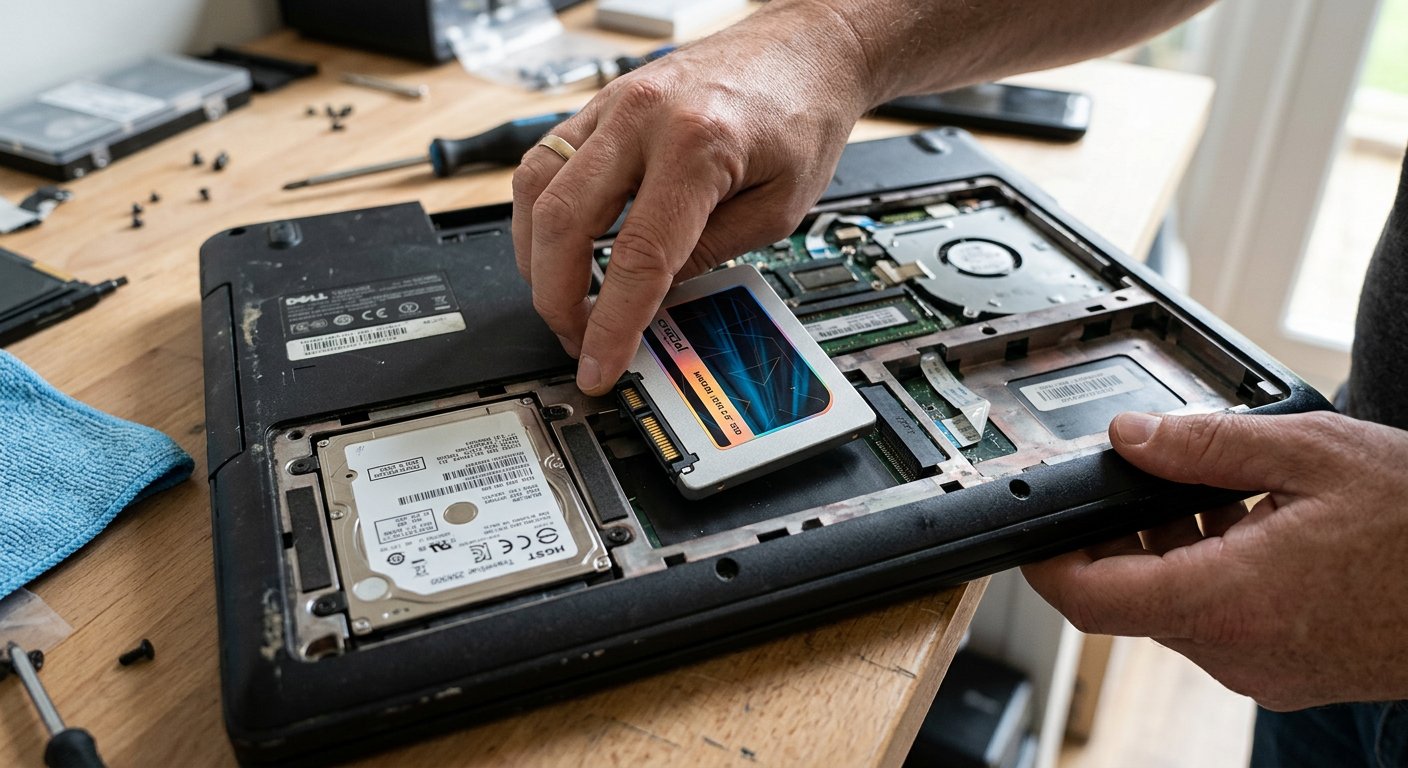
And what if the TV also stays black? In coastal towns like Lagos, Port Harcourt, and Calabar, salt and damp moisture in the air creep inside laptops that sat idle for a week. The little green memory stick (called RAM) has a row of shiny gold teeth along its edge where it clicks into the board. When air touches those gold teeth for too long, a thin, invisible layer of grey film forms over them. The computer turns on, tries to read the memory stick, cannot feel the gold through the dirt, and gives up before turning on the screen. The cure costs zero naira: unclip the battery, open the small door underneath, pull the memory stick out, and take a clean white school eraser — the ordinary pencil rubber children use in school. Rub the rubber gently back and forth across the gold teeth on both sides until they shine like fresh jewelry. Brush away the crumbs with your finger, click the stick back firmly into its slot, and press power. In four out of ten homes, the laptop wakes up instantly.

- Flashlight on the glass first: if you see faint shadowy shapes under the beam, the picture is alive and only the backlight is sleeping.
- Plug into a TV with an HDMI cord: if the TV lights up with your desktop, the computer brain and files are completely safe.
- The pencil rubber trick: clean the gold teeth of the memory stick gently to rub away invisible damp air grime.
- Drain the sleeping power: unplug the charger, remove the battery, and hold the power button down hard for 30 full seconds before plugging back in.
Test before you spend
Never let an artisan tell you 'Madam, your whole board is condemned' before you run these three simple tests with your own hands. Most dark screens are just sleeping backlights, a confused cord in the hinge, or five seconds of dust on a gold pin. Test calmly, keep your money in your pocket, and let the facts speak first. Next: the fan that screams like a generator, and the machine that burns your lap.