Computer skills from scratch·The phone·Lesson 85 of 180
When the cell says ##### or #DIV/0!
 Ellis Dennis GrahamFounder, Cyber Elias Academy 2026-08-13 3 min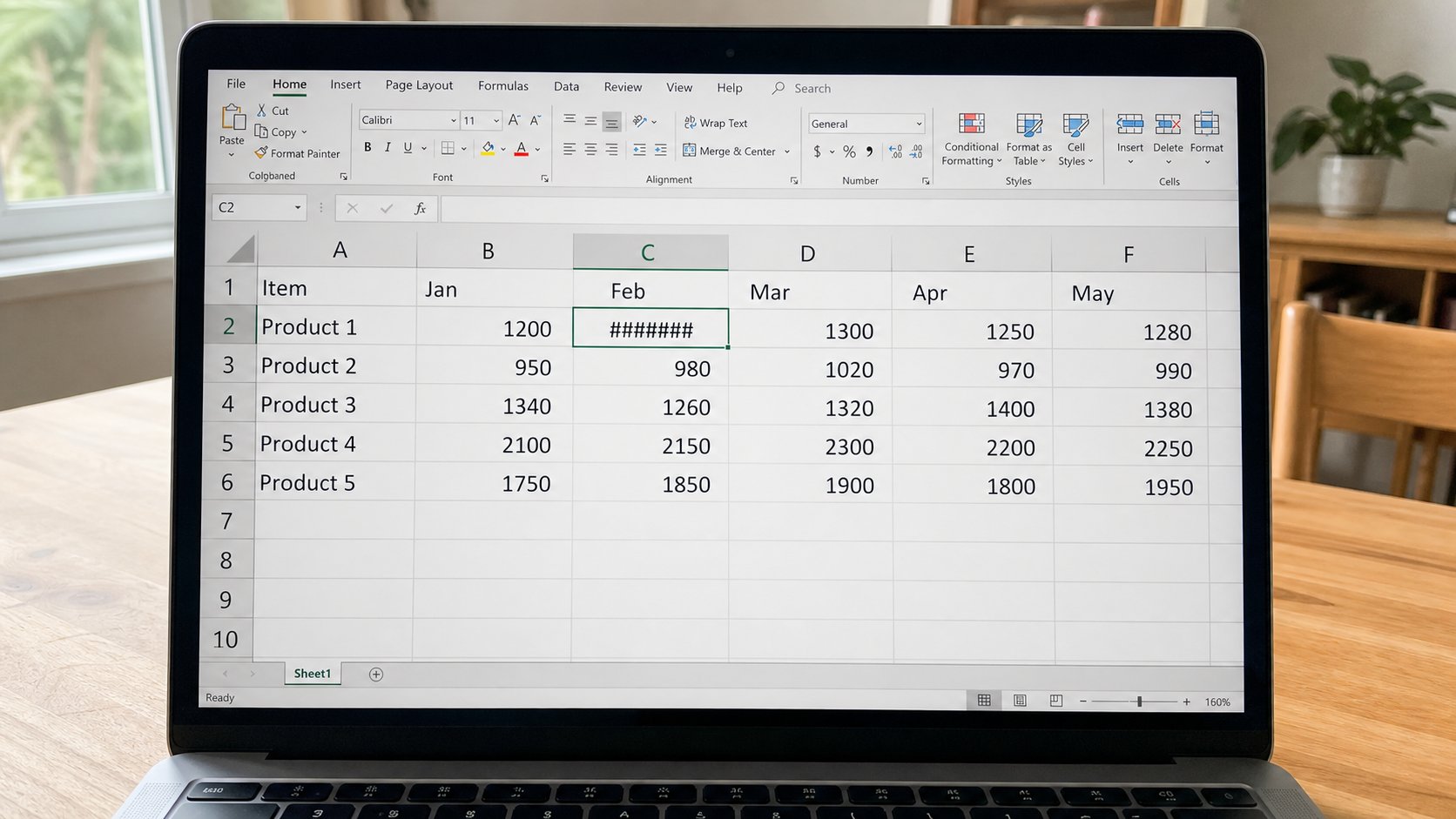
Hashes are a curtain: the column is too thin. #DIV/0! is divide by empty. #VALUE! is a word where a number should be. The amount is often still there. Widen, or fix the formula, before you panic.
The grid has a few shouts that look like a crash. ##### is the most common: the column is too narrow for the number, especially after you dressed it as money. The amount is still in the cell. Drag the line between C and D at the top until the number appears. Double-click that line and the column fits the widest fact. This lesson is that curtain, the formula errors, and what is not a broken file.
#DIV/0! means you divided by zero or by an empty cell — a rate with no quantity, a per-person split with no people. Point the formula at a real number, or leave the cell blank until the quantity exists. #VALUE! means you asked maths to eat a word: =B2*C2 when C2 says “see receipt.” Put the number in C2, the story in Item. #REF! means a cell the formula loved was deleted. Undo if you just deleted a column. #NAME? means a typo in SUM — =SUME or a missing bracket. Look at the formula bar. The grid is literal.
Green corners, and the warning triangle
Excel may put a green mark in a cell it finds odd — a number stored as text, a formula that skips a neighbour. Click, the yellow diamond, read the sentence. Convert to number if that is the truth. Ignore if you meant the skip. Sheets is quieter. Do not Accept every offer. The cousin is still a cousin, like spell check.
A cell that shows the formula you typed, =SUM(C2:C6) in plain sight, is often formatted as text, or you missed the equals, or there is a space before =. Delete, type again starting with =. A cell that shows 1/2/2026 when you meant 0.5 is a date costume on a fraction. Format as number. The grid guessed. You can unguess.

- Make a number, narrow the column until ##### appears. Widen it. The number should return unchanged.
- In an empty cell, type =1/0 and Enter. See #DIV/0!. Delete it. You do not need it in a real book.
- Type =A1*B1 where A1 is a word. See #VALUE!. Put a number in A1. The error should leave.
- Do not download an “error fixer” for Excel from a banner. The fixer is your eyes and Undo.
When it is actually broken
A file that will not open, or opens with “repaired” and missing sheets, is the backup lesson. Close, copy the file, try again. Do not keep saving over the only copy while it limps. Circular reference — a SUM that includes itself — makes a warning and a restless total. Look at the range. If C7 is =SUM(C2:C7), the snake is eating its tail. SUM to C6, put the total in C7.
Name the shout before you call a shop. Hashes: width. #DIV/0!: empty bottom. #VALUE!: a word in the maths. ##### is the one you will see every week once money wears a costume. Widen, smile, continue. The grid is still a clerk. Clerks sometimes write too large for the column. They rarely burn the book.