Computer skills from scratch·Other people’s computers·Lesson 43 of 180
The webcam and who can see you
 Ellis Dennis GrahamFounder, Cyber Elias Academy 2026-04-29 3 min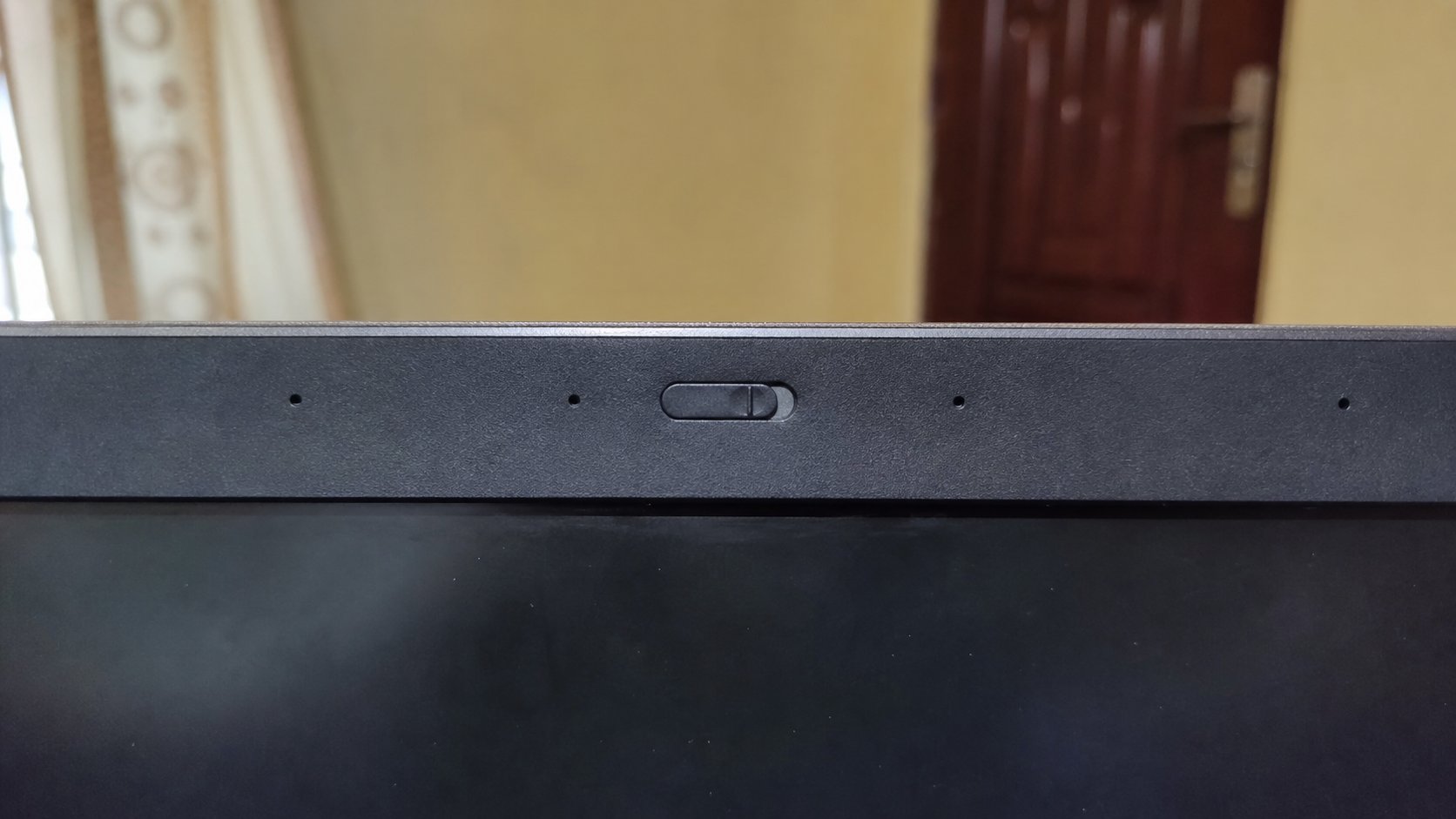
The camera is a hole at the top of the screen. A light means it is looking. A cover is a curtain. Off in the meeting is not the same as a closed curtain.
At the top of the screen, a small eye. That is the webcam. You used it, or will, in a video call. It can also look when you did not mean it to, if a program asks and you say yes forever, or if a site talks you into allowing the camera for a “preview.” This lesson is the light, the permission, a paper curtain, and the difference between camera off in Zoom and actually covered.
Many laptops light a tiny lamp beside the lens when the camera is on. Believe the lamp. If the lamp is on and you are not in a meeting, close the program that is looking — often a leftover browser tab, or a shop's “test.” Task Manager, if you must. A cover — a sliding plastic, a sticker you can lift, a bit of tape you do not love — is a physical no. Software can lie. Tape cannot.
Permission is a yes you can take back
Windows: Settings, Privacy & security, Camera. A list of programs allowed to look. Turn off the ones you do not recognise. A browser may ask, site by site. Allow for a class. Deny for a random page that wants to “verify you are human” with your face. You can walk. The same list exists for the microphone. They are neighbours. Treat them both as doors.
In a meeting, camera off is polite and not the same as covered. A bug, a wrong click, or a host who “enables video” can still open the eye if the cover is off. Cover after class if you share a room with family in the background. You do not owe a stranger your unmade bed.

- Find the lens. Cover it with a finger. Open the camera app or Meet preview. Confirm you see dark, not your finger's skin if the cover is opaque.
- Open Settings, Camera. Read the list of allowed programs. Switch off one you do not use.
- Join nothing. Confirm the lamp is off.
- A sticky note folded once is a curtain if you have no slider. Do not use wet glue.
Other people, and shops
A shop testing a camera should do it in front of you. A “support” person on the phone who needs the camera on while they remote-control the machine is the password lesson wearing a lens. No. Family sharing a laptop: a cover is kinder than an argument. Children: the cover is not a toy. It slides for a reason.
You are not being asked to fear the eye every minute. You are being asked to know when it is open. Light, permission, curtain. Three checks. Then use the camera on purpose, as you use the microphone on purpose. The machine looking without you is a guest you did not invite. Show it the door.