Computer skills from scratch·Files that travel·Lesson 24 of 180
The Recycle Bin and “I deleted it”
 Ellis Dennis GrahamFounder, Cyber Elias Academy 2026-03-12 3 min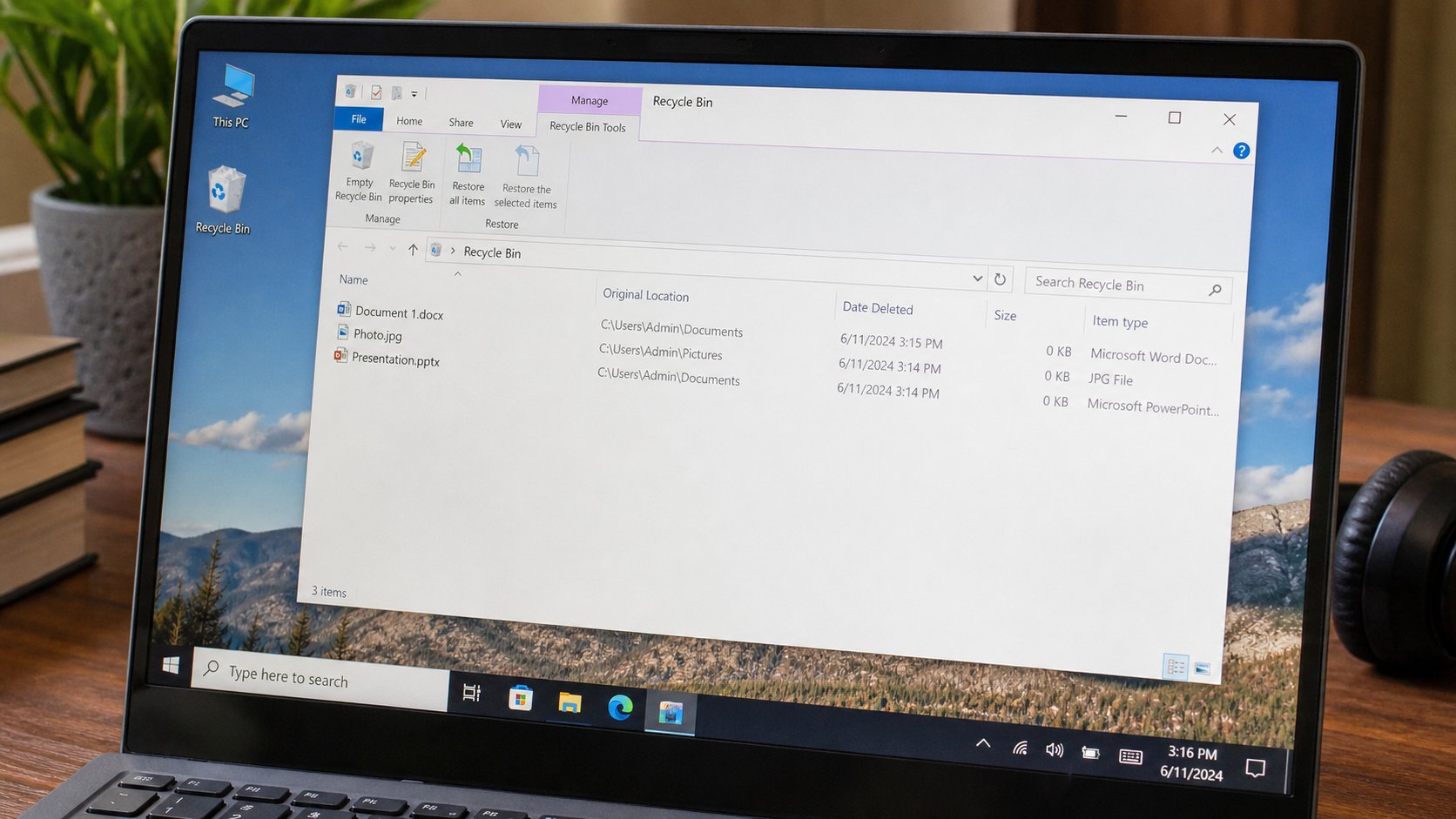
Delete is a cupboard, not a fire. Restore puts the file back. Empty is the real goodbye. Shift+Delete skipped the cupboard — look twice.
The first time a file vanishes under your own hand, the stomach drops as if the machine has judged you. Usually it has not. Delete, on a computer, is putting the paper in a cupboard by the door. The cupboard is the Recycle Bin on Windows, Trash on a Mac. Empty Recycle Bin is taking the cupboard to the fire. Until then, Restore is allowed. This lesson is that cupboard, the two deletes, and what to do when the cupboard was skipped.
You met this briefly in the files lesson. People still panic because the file is not in Documents, so it must be gone. Look in the cupboard before you rewrite a letter from memory. Look before you pay a shop to “recover.” Recovery after Empty is a maybe, a disk that must not be used, and money. Recovery from the Bin is a click.
Ordinary delete, and the one that skips the cupboard
Select a file. Press Delete, or right-click, Delete. It leaves Documents and appears in the Bin. The desktop icon for the Bin may look empty or full — a small change. Double-click it. Your file should be there. Restore. Close. Open Documents. Breathe.
Shift+Delete — the Shift key held while you press Delete — skips the cupboard. Windows will ask “Are you sure you want to permanently delete?” Permanently is the fire. If you did that by accident and said Yes, stop using the machine for heavy work and ask someone about recovery the same day. Do not install a “free recovery tool” from a banner. That banner is an old acquaintance. At the academy, say what happened before you fill the disk with new downloads.
- Create a file called delete-practice in Documents. Type one sentence. Save.
- Delete it the ordinary way. Open the Recycle Bin. Restore it. Confirm it is back.
- Delete it again. This time Empty Recycle Bin only after you have looked. That file is gone. That is the point of the practice file.
- Never practise Shift+Delete on a real letter.
USB, photos, and other people's machines
Delete on a USB flash drive often does not use the Bin. The file is gone. Another reason copy is better than cut when you move photographs off a phone. Email attachments you “removed” from Gmail may sit in Trash on the mail site for thirty days — a different cupboard, in the browser, not on the desktop. Phones have their own recently deleted albums. Different rooms, same idea: look for a recently deleted before you despair.
Empty the Bin when you have looked, and when you need the disk space from the slow-computer lesson. Do not empty it because a cousin said it “makes RAM.” It does not. It frees disk. If you empty weekly without looking, you will empty a tax file you deleted by accident on Thursday. Looking is the whole skill. The cupboard is kind until you set it on fire.