Computer skills from scratch·Files that travel·Lesson 23 of 180
Typing naira, accents, and another language
 Ellis Dennis GrahamFounder, Cyber Elias Academy 2026-03-09 3 min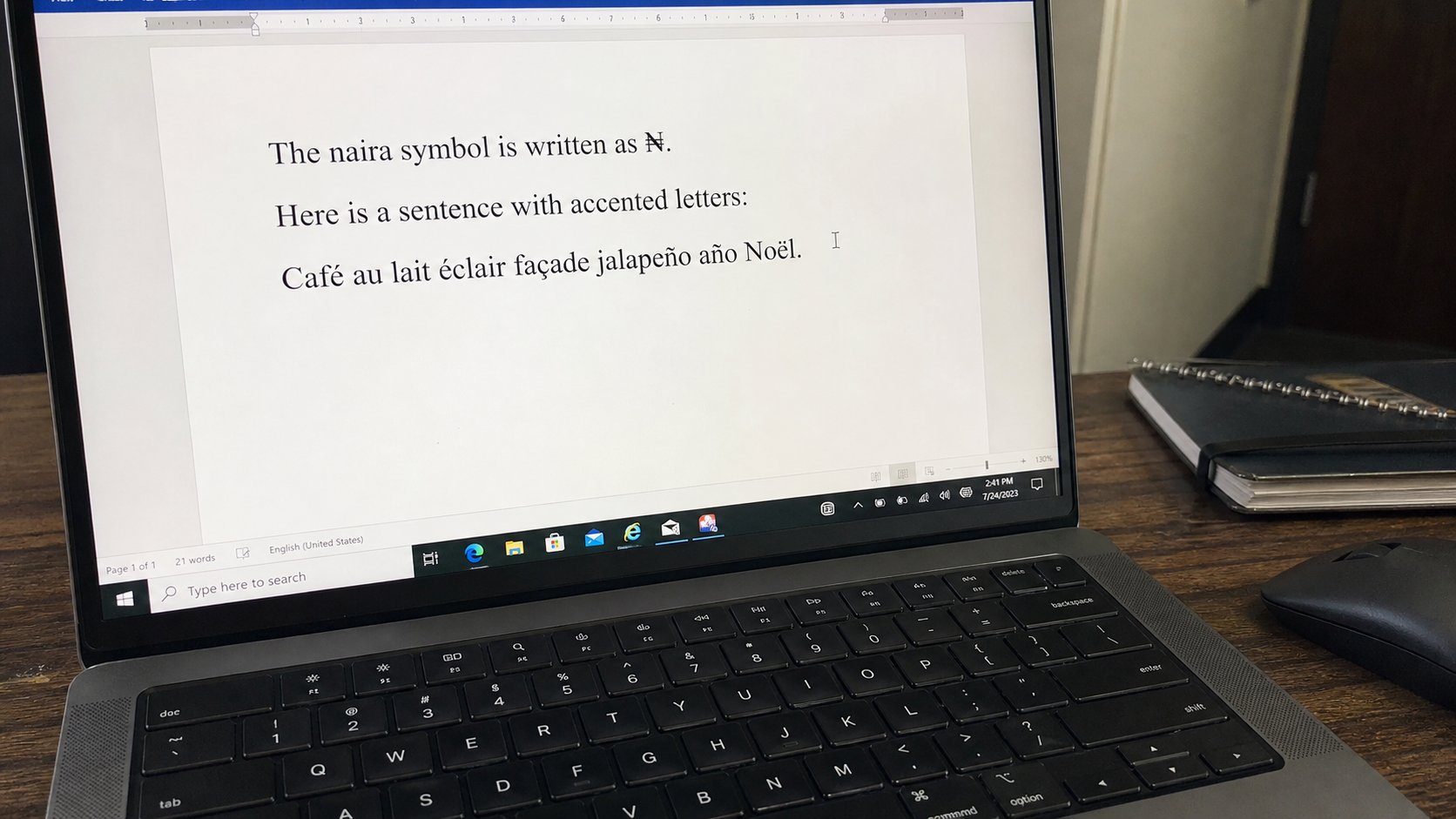
₦ is a character, not a drawing. A language in the taskbar is a second keyboard laid over the same keys. Alt codes and the emoji panel are how the symbol arrives.
The keyboard in front of you is mostly English. Nigeria writes ₦, names with accents, and sometimes Igbo, Yoruba, or Hausa letters that the keys do not paint. People draw a N and overstrike it, or type NGN, or skip the mark on a name that should have one. The machine can do better. This lesson is how to ask it for a character that is not printed on the plastic.
A character is a letter, a number, or a symbol the file can store. ₦ is one character. If you paste a picture of a naira sign into a spreadsheet, the grid cannot add it. If you type the character, it is money. The same is true of é in a French name, ọ in a Yoruba name, or a naira amount in a letter to a school.
₦ on Windows, without a fight
Several doors. The reliable one: hold the Windows key and press the full stop (period). A panel opens — emoji and symbols. Search naira, or scroll to ₦, click it. It lands where the cursor was. Another door, on many machines: hold Alt and type 8358 on the numeric keypad, then release Alt. Laptops without a keypad may need Fn and a printed number pad. If that is a maze, use the panel. In Word, Insert, Symbol, and find ₦. Once you have it, copy and paste it for the rest of the page.
Google Docs and many websites accept the same paste. If a bank form rejects ₦, they want NGN or Naira as a word — obey the form. The symbol is for letters, invoices, and spreadsheets that know it. Do not fight a government box that was built in 2011.
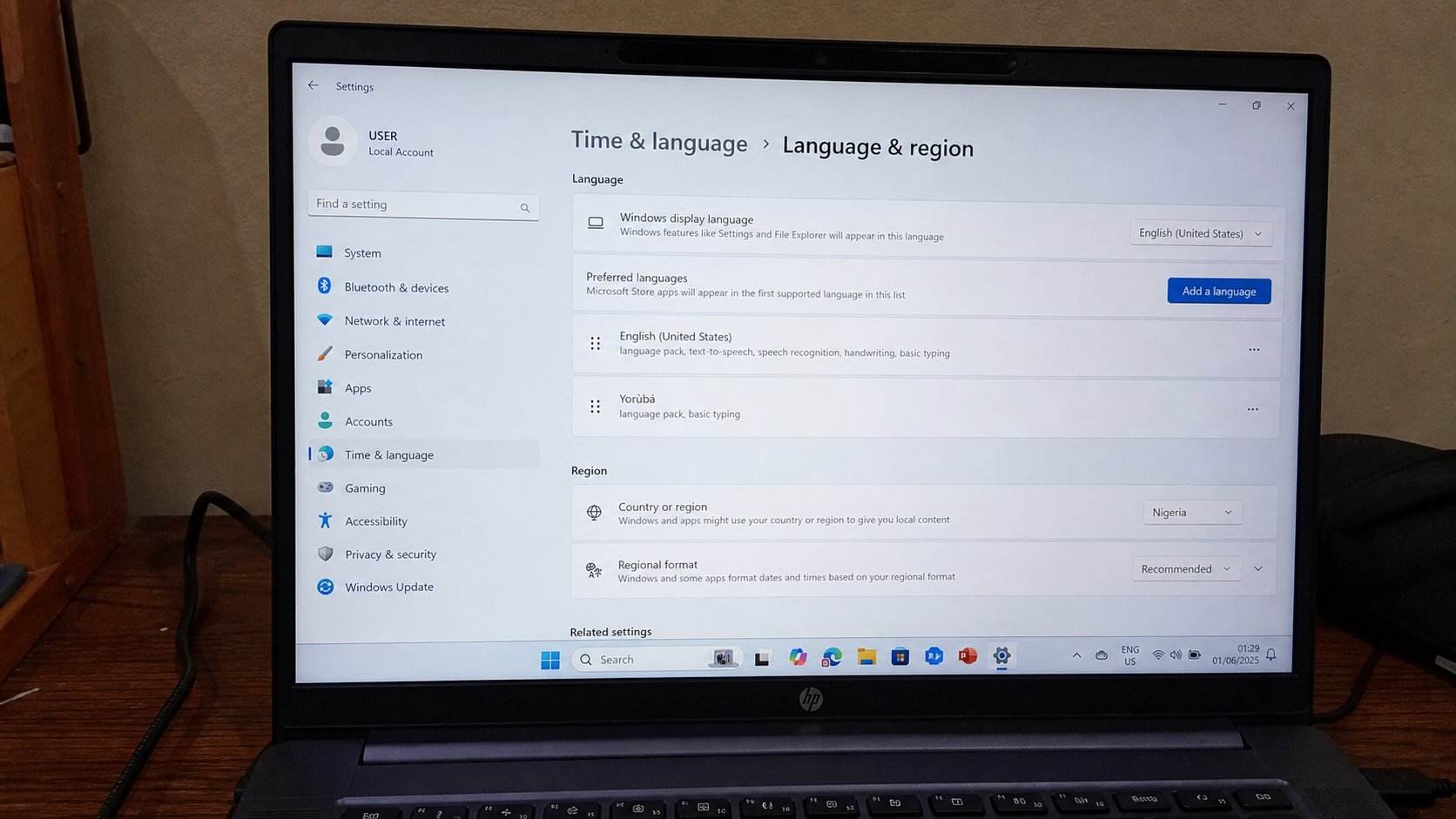
A second keyboard on the same keys
Windows: Settings, Time & language, Language & region, Add a language. English (United States) International, or Yoruba, Igbo, Hausa if you will type those daily. After it installs, look near the clock for ENG. Click it to switch, or hold Windows and press Space. International English lets you type an apostrophe then e to get é, and similar pairs for other accents. It will surprise you the first week — a quote mark that “swallows” the next letter. That is the accent waiting. Press Space if you wanted a plain quote.
- Open Notepad. Press Windows and full stop. Insert ₦. Type a price.
- Add a second language you actually need, or skip if ₦ was the only gap.
- Switch with Windows+Space. Type your name as you want it on a letter.
- Switch back to ENG. Save as typing-naira in Documents.
Phones, and names that matter
On a phone, hold the letter key — e, o, a — to see accents. Hold N or the currency key if your keyboard offers ₦. Gboard and others have a symbols page. Use the character in WhatsApp if you like; use it in the Word letter if the letter will be printed. A name on an ID should match the form. Accents that the ID does not have can wait. Accents that the ID does have should be typed, not approximated, when the box allows it.
You do not need every language pack. You need the marks you actually write. One extra keyboard, the naira in the panel, and the habit of checking ENG before you type a password — because a French layout will move where A and Q live, and a password typed on the wrong layout is a lockout. Glance at the taskbar. Then type.