Computer skills from scratch·The first sitting·Lesson 4 of 180
The internet without getting lost
 Ellis Dennis GrahamFounder, Cyber Elias Academy 2026-01-20 5 min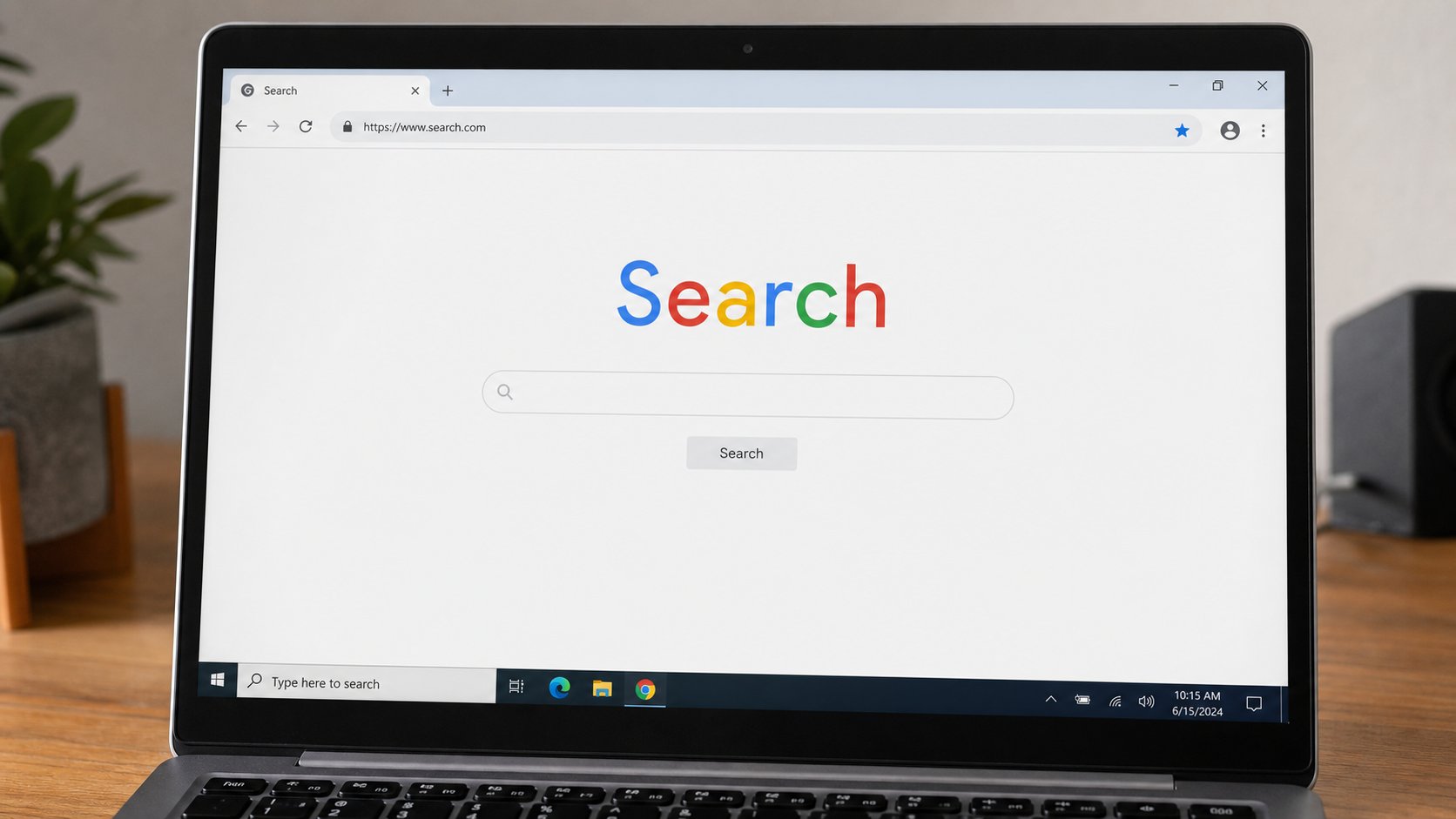
A browser is a vehicle. The address bar is the road you typed. Search is asking a librarian. Tabs, the padlock, and how to come back from a wrong turn.
The internet is not inside your computer. Your computer is a window onto a very large library that other machines keep. A browser — Chrome, Edge, Safari, Firefox — is the vehicle you sit in to visit that library. WhatsApp and Instagram are also vehicles, but they only go to one street. A browser can go anywhere someone has published a page. That freedom is why it feels dangerous. It is also why it is the skill worth learning.
Open the browser the way you opened Notepad: Start menu, type Chrome or Edge, press Enter. You will see a wide empty field at the top of the window. That field is the address bar. It is the most important strip on the screen. Everything else — the colourful buttons, the news, the adverts — can wait until you can use that strip on purpose.
An address is not a question
A web address is a place: cea.ng, jumia.com.ng, waec.org.ng. You type it in the address bar and press Enter. The vehicle goes there. A question is different: “what time is JAMB 2026” is not a place. If you type a question, the browser will usually take you to a search engine — Google, Bing, or whatever your browser uses — and show a list of pages that might answer. Both acts start in the same box. Watch what appears after you press Enter. If the top of the window now says google.com or bing.com, you searched. If it says the place you typed, you travelled.
Prefer travel when you already know the place. Banks, exam bodies, and the academy have real addresses. Typing “first bank login” into search will also offer fake pages that look like First Bank. Typing the address you already trust, or using a bookmark you saved on a good day, is how you stay on the real street. We will come back to fakes in a later note. For now: if a page asks for a password and you arrived through a surprise link, stop.
How to ask a librarian
Search works when you ask a specific question. “Computer” is a warehouse. “how to save a Word document on Windows 11” is a shelf. Put the thing you want and the situation you are in into the same sentence. Add Nigeria when the answer depends on here — school fees, BVN, JAMB dates. Read the grey address under each result before you click. A result from waec.org.ng is not the same as a blog that used the word WAEC.

The first three results are often adverts. They are marked Ad or Sponsored. They can still be useful. They are also how a paid page jumps the queue. Scroll until you see results that are not marked. Open one. If it is wrong, you have not failed. Press the back button — a left-pointing arrow, top-left of the browser — and try the next. Back is the most forgiving key on the internet. It means “take me to the previous room.”
Tabs are extra rooms
A tab is a page you are holding open without closing the others. Look at the top of the browser for a row of small titles, and a plus sign. The plus opens a new tab, a fresh empty room. You can have the academy site in one tab and a search in another. Click the titles to switch. The X on a tab closes only that room. Closing the whole browser window closes every tab. If you did that by accident, reopen the browser. Many browsers offer Reopen closed tab if you right-click the tab bar.
- Open the browser. Click the address bar once so the text inside is highlighted.
- Type cea.ng and press Enter. Confirm that the address at the top is the place you typed.
- Open a new tab with the plus. Type: how to copy and paste on a computer. Press Enter.
- Read the address under the first unpaid result. Open it. Use Back to return to the list.
- Return to the cea.ng tab by clicking its title. You did not lose the page. That is the point of tabs.
The padlock and the download
To the left of the address you will often see a small padlock. It means the road between you and that page is encrypted — a tunnel, not a postcard. It does not mean the page is honest. A thief can also have a padlock. Treat the padlock as necessary, not sufficient. If there is a warning in red that the connection is not private, do not enter a password. Go back.
Pages will offer you files: a form, a past question, a programme. Downloading is the internet placing a parcel on your Downloads mat. Know that. Open Downloads after and move the file into Documents if you mean to keep it, the way you would take a parcel off the floor. Do not download a programme because a page shouted that your computer is infected. That shout is a common trick. If you did not go looking for a repair tool, do not install one from a pop-up.
Bookmarks are addresses you want to find again. In most browsers, a star at the end of the address bar saves the current page. Name it something you will recognise. The next time you need it, open Bookmarks and click. This is how a person stops searching for their own bank every Saturday.