Computer skills from scratch·Writing on the page·Lesson 64 of 180
Spell check is a cousin, not a teacher
 Ellis Dennis GrahamFounder, Cyber Elias Academy 2026-06-21 3 min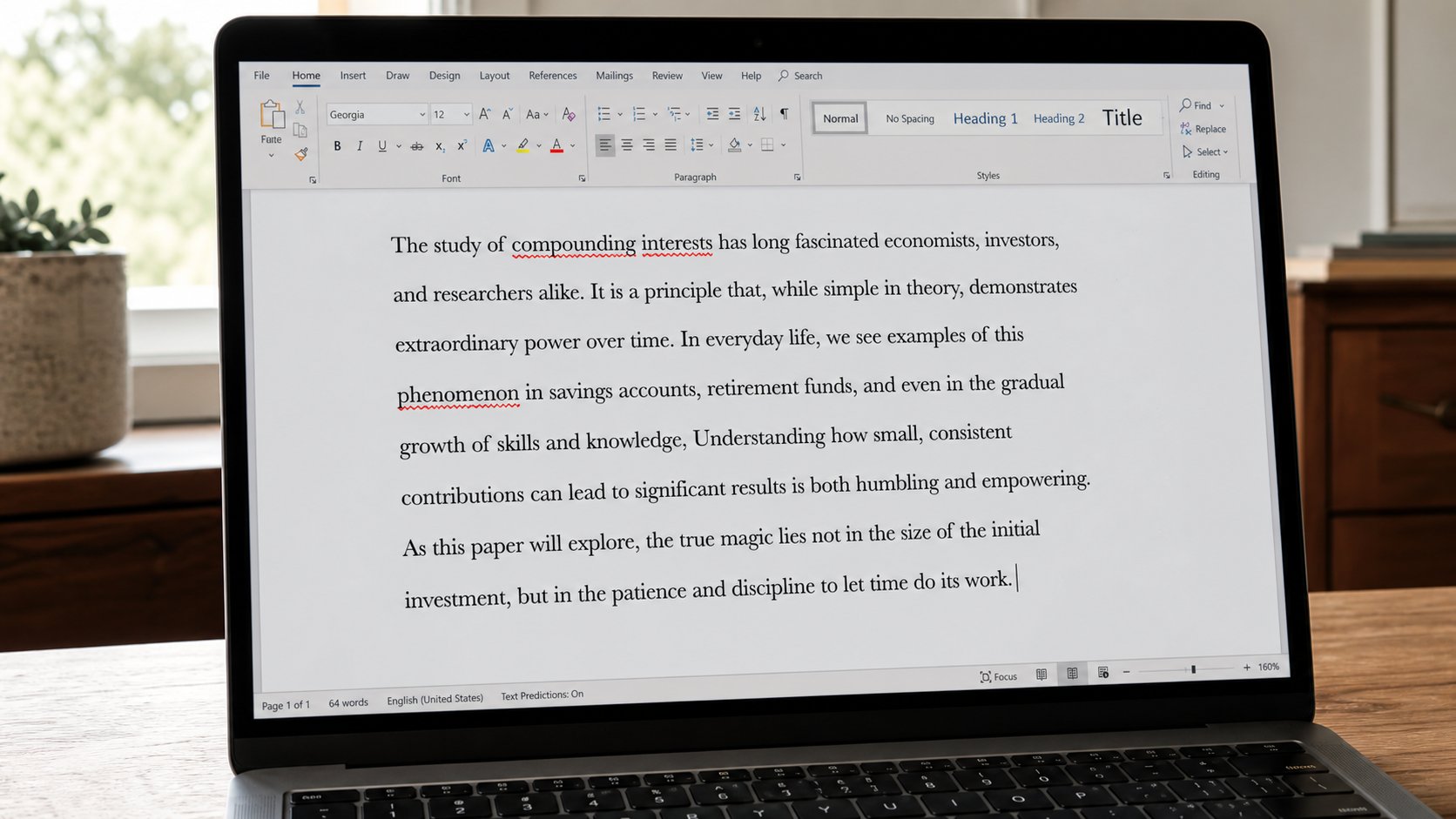
The red line catches letters. It will not catch from for form. Read the letter out loud. Right-click a squiggle. Do not Accept all like a cookie banner.
A red squiggle appears under a word. People either ignore every line until the page is measles, or they right-click Accept until a name becomes something else. Spell check is a cousin who is good at letters and bad at meaning. It will shout at Okoro, at naira, at a street in Rumuola. It will stay quiet for “I have from for you” when you meant form. This lesson is the squiggle, the dictionary, and the only check that still works: reading the letter aloud.
Right-click a red word. A short list of guesses. If the guess is right, click it. If the word is a name you meant, Add to dictionary, or Ignore all for this document. Ignore all is for Okoro. Add to dictionary is for a word you will keep typing on this machine. Do not add a misspelling because you are tired. The cousin will then defend the mistake forever.
Language, and the blue line
Word guesses a language. If the whole letter is squiggled, it may think you are writing French. Review, Language, Set proofing language, English (United Kingdom) is close enough for Nigeria; English (United States) is also fine. Mixed languages in one sentence will confuse it. A quote in Pidgin may stay red. That is the cousin, not a verdict on your English.
A blue underline, on many versions, is grammar: a missing question mark, a long sentence, “their” when it wanted “there.” It is still a cousin. It will be wrong about names and about the way we write dates. Read the suggestion. If it wants to flatten a greeting into American office-speak, Ignore. You are not obliged to sound like a template.

- Type a sentence with a real typo — reciept. See the red line. Right-click, choose receipt.
- Type your surname. If it squiggles, Ignore or Add. Do not change your name to please Word.
- Read the paragraph out loud. Fix one thing the cousin did not see.
- Do not click Change all on a name.
Browser boxes, and what you still owe
Gmail and many forms squiggle too. The same manners. A phone will autocorrect a name into a stranger on the way to WhatsApp. Watch the name before you send, especially a number that became a word. Autocorrect is a cousin who interrupts. Hold the word, choose what you typed, if the phone allows.
Spell check does not make a letter true. It does not check that the fee is 15,000 and not 150,000. It does not check that you attached the file. You still owe a slow read, the attachment glance, and a subject that tells the truth. The red line is a helper on the walk. It is not the walk. When the cousin is quiet and the mouth is quiet, send.