Computer skills from scratch·Writing on the page·Lesson 67 of 180
Selecting text without rage
 Ellis Dennis GrahamFounder, Cyber Elias Academy 2026-06-28 3 min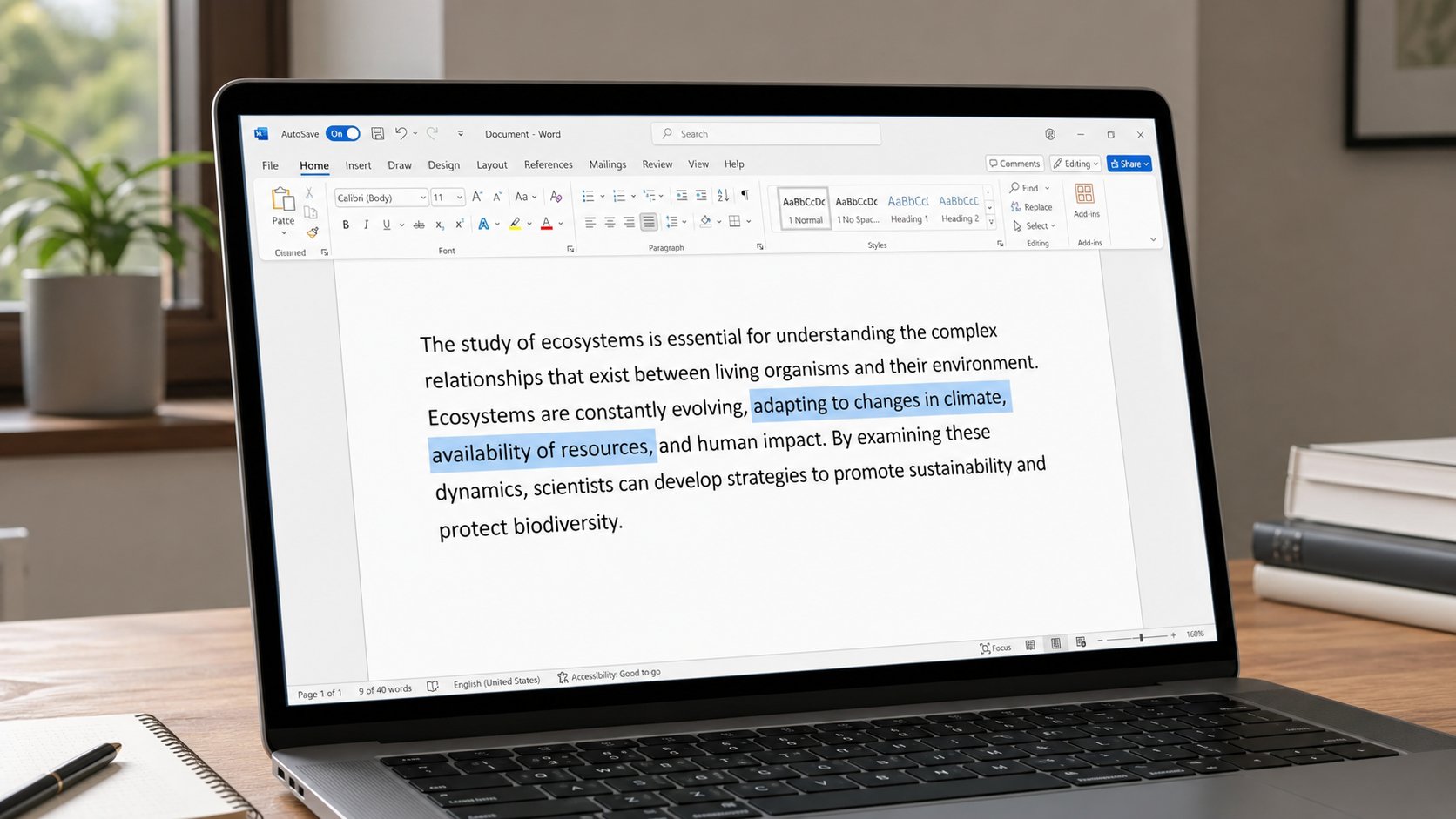
Highlight is how the machine knows which words you mean. A drag, a double-click, Shift and an arrow. Click once in empty space if the blue block was a mistake.
Copy, bold, delete, replace — all of them need to know which words. That knowledge is a blue block. People call it highlight, or select. Without it, Ctrl+C copies nothing, or copies the last thing, and you paste an old address into a new letter. With too much of it, one tap of a letter wipes a page, because typing replaces a selection. This lesson is how to paint the words you mean, and how to unpaint them before you type.
Click at the start of a word. Hold the left mouse button. Drag to the end. Release. The block should cover only what you meant. If your hand shook and took three extra lines, click once in empty space — the block dies — and try again, slower. Double-click a word to take just that word. Triple-click, in Word, often takes the paragraph. Ctrl+A takes everything in the window. You met Ctrl+A as a danger near Delete. It is useful when you mean the whole page, then Copy, then paste into a new file.
The keyboard, when the mouse lies
Click once to plant the cursor. Hold Shift, tap the right arrow. One letter joins the block. Hold Shift, tap down-arrow, a line joins. Shift+Ctrl+arrow takes a word at a time. This is how you select on a trackpad that jumps, or when a finger is tired. Shift+Home takes to the start of the line. Shift+End to the end. You do not need all of them today. Shift and the arrows are enough to stop fighting the pad.
If you click in the margin of Word, you may select a whole line. That is a feature. If the whole document goes blue, you Ctrl+A'd or you clicked the corner. Click once in the page. The blue should leave. Then select smaller. A selection that covers a picture as well as words will copy the picture. Click the picture once to select only it, or avoid it with the arrows.

- Type two sentences. Double-click one word. Ctrl+C, click elsewhere, Ctrl+V. Only that word should travel.
- Click away. Shift+arrow across a short phrase. Bold it if you have the B button. Click away.
- Ctrl+A, then click once in the page. Confirm the blue has gone before you type.
- If a whole page vanishes under one letter, Ctrl+Z immediately. That was a selection you did not see.
On phones, and in forms
On a phone, press and hold a word, then drag the two handles. Copy sits in a small menu. The handles are fussy. Zoom first, last lesson but a few, then hold. In a web form, select the box's text with Ctrl+A inside the box — click the box first — not Ctrl+A on the whole page, which may try to copy the site. A greyed box cannot be selected; it is not yours to copy, or it is already filled.
Selection is a quiet skill that sits under copy, under bold, under replace, under “why did my letter disappear.” Look for the blue before you press anything that changes words. If there is blue you did not paint, click it off. Then act. The machine is literal. It will spend its next key on whichever words are wearing the blue coat.