Computer skills from scratch·Finding your way·Lesson 32 of 180
Renaming files without breaking them
 Ellis Dennis GrahamFounder, Cyber Elias Academy 2026-04-01 3 min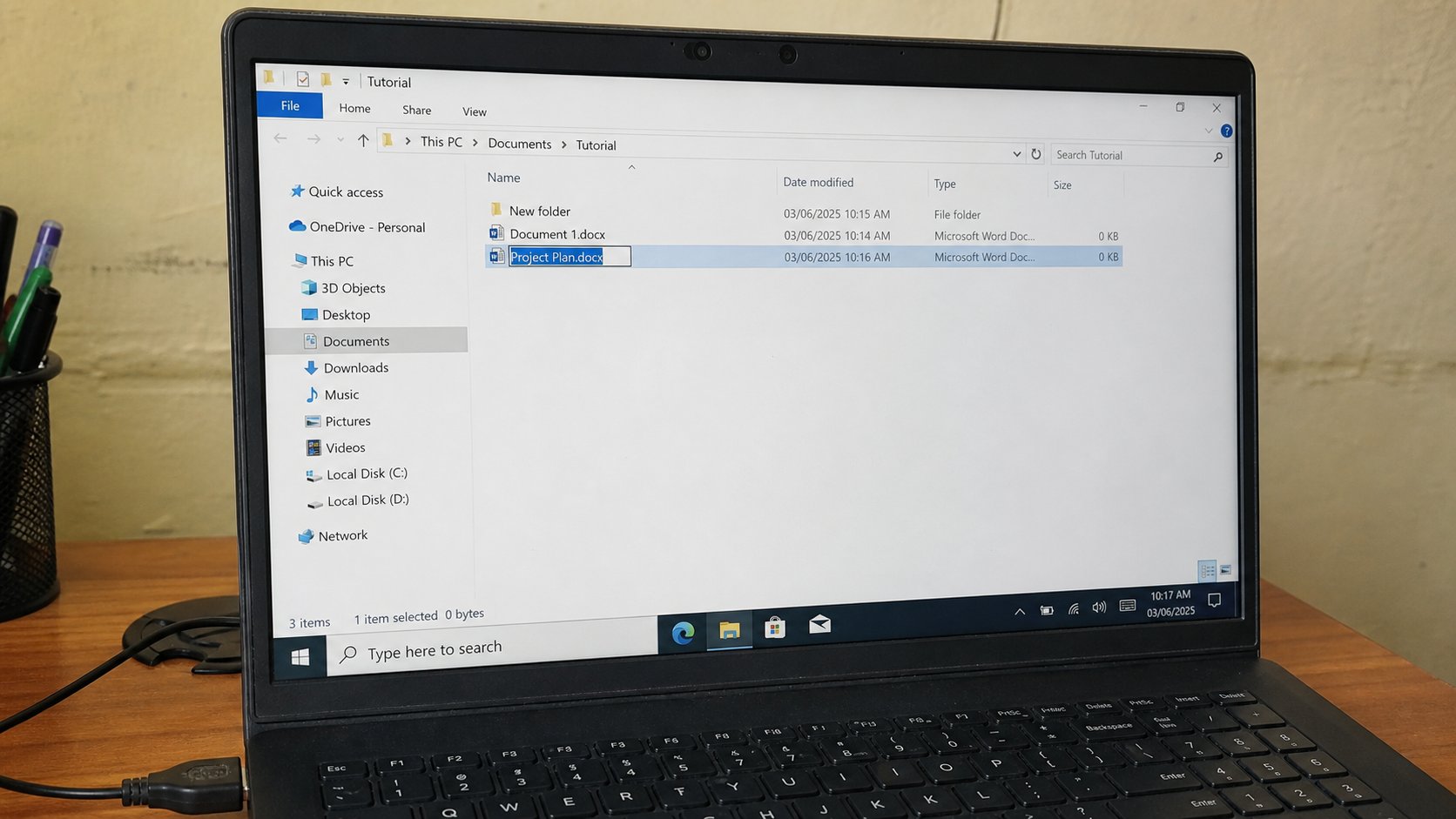
The name is for you. The part after the last dot is for the computer. Change Chidinma-JAMB. Leave .pdf alone.
IMG_0048.jpg is a name a camera gave because it cannot care. document(3).docx is a name Word gave because you already had two documents. Neither will help you in October. Rename is how a file becomes a sentence. It is also how people hide a file from the computer by deleting the .pdf at the end. This lesson is the name, the dot, and the slow click.
A file name has two parts. Everything before the last dot is yours. Everything after — pdf, jpg, docx, xlsx, zip — is the type. The computer uses the type to choose a program. If you turn receipt.pdf into receipt, Windows may ask which program should open it, as if you had handed it a letter with no envelope. If you turn it into receipt.docx, Word will try to open a PDF and fail in a language you will not enjoy.
The slow click, and F2
Click the file once. Pause. Click the name, not the icon. The name highlights. Type the new name. Watch the .pdf or .jpg at the end. If the type is highlighted too, do not type over it. Click once in the name, or press F2, which on many machines highlights only the name and leaves the type. Enter to confirm. Esc if you panicked.
If Windows hides the type — “File Explorer Options, hide extensions” — turn that off so you can see the dot. View, Show, File name extensions, on modern Windows. Seeing the type is how you stop breaking it. A name you cannot see is a name you will damage.
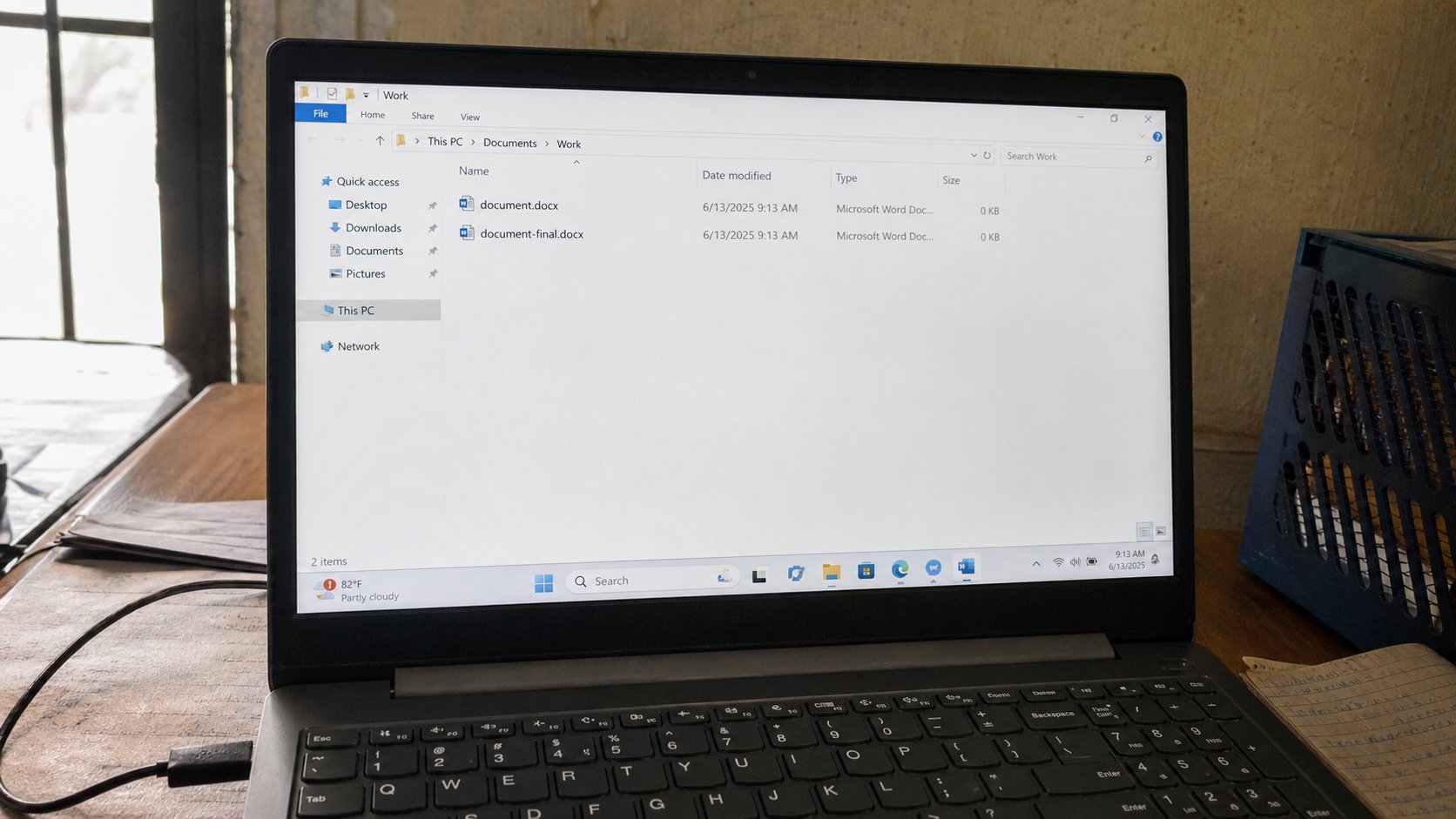
- Copy a practice file. Rename the copy to rename-practice.pdf or whatever type it actually is. Keep the type.
- Open it. If it opens as before, you renamed well.
- Rename it again to include a date: rename-practice-2026-09.
- Do not put a slash, a question mark, or a colon in a name. Windows will refuse, or worse, misread.
Characters that bite, and duplicates
Avoid / \ : * ? " < > | in names. They are commands to the computer, not decoration. Spaces are allowed but a-name-like-this travels better in some links. Accents are allowed; you learned those. A trailing space is a ghost that makes two files look identical. Keep names short enough to read in a narrow window.
If a file is open in Word, rename will fail — “in use.” Close, then rename. If two files cannot have the same name in the same folder, that is the computer protecting you. Put them in different rooms, or date them. And if you already stripped a .pdf, rename and put the .pdf back. The file was not converted. It was only disguised. You did not lose the letter. You hid its envelope.