Computer skills from scratch·Spreadsheets and sharing·Lesson 71 of 180
Open with — this program, not that one
 Ellis Dennis GrahamFounder, Cyber Elias Academy 2026-07-08 3 min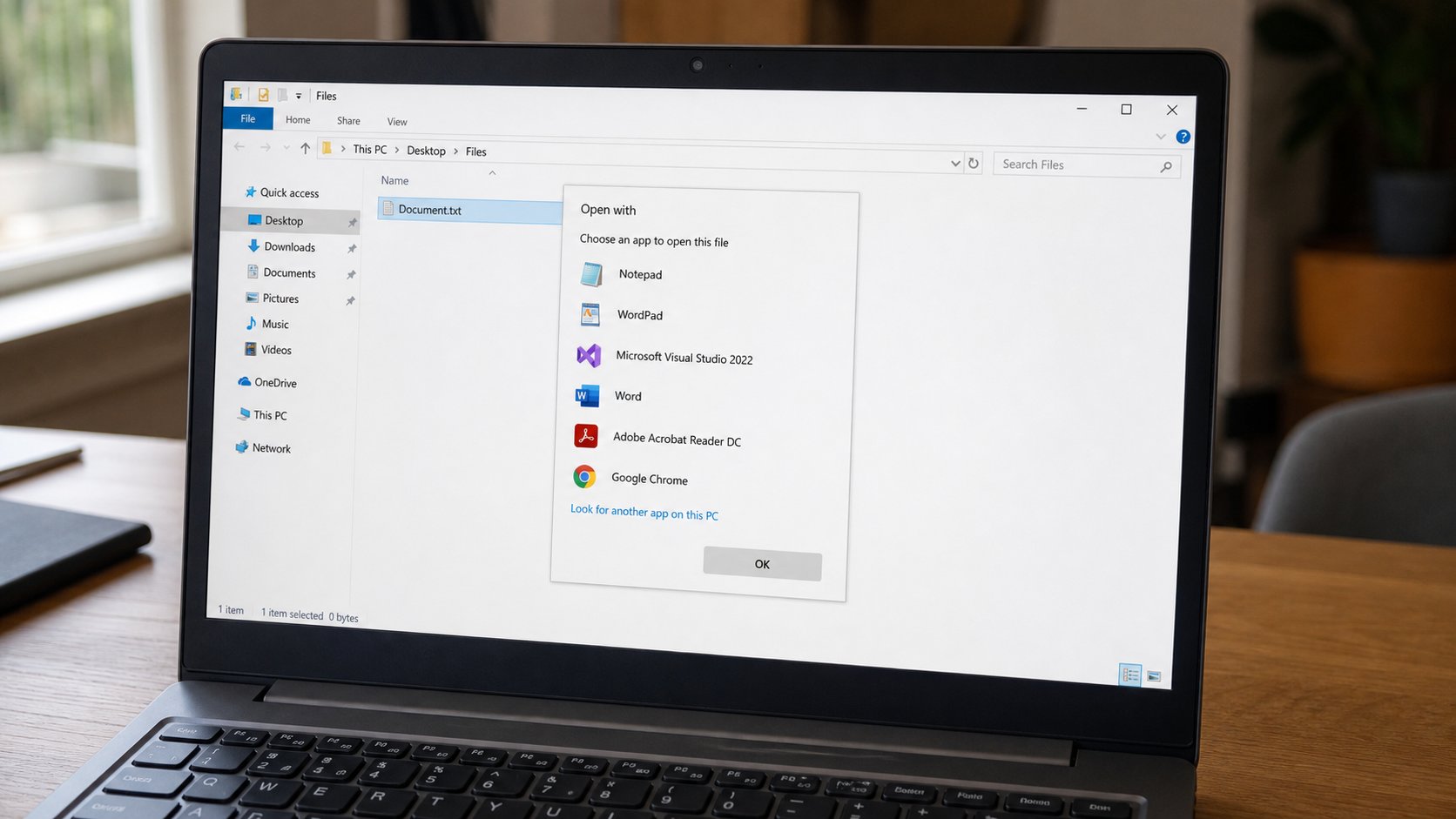
A file is not a program. Double-click asks Windows to guess. Open with is how you choose. Always is a marriage. Once is a visit.
A PDF is a plate. A .docx is a working letter. A .jpg is a photograph. None of those is Word, or Chrome, or Photos. They are papers. A program is the pair of hands that opens the paper. Double-click asks Windows to guess which hands. Sometimes the guess is a browser that cannot edit. Sometimes it is a shop's “PDF Professional” that shouts. Open with is how you pick the hands for this sitting, or for always. This lesson is that choice, and why Always is a bigger word than it looks.
Right-click the file, Open with, choose a name you recognise — Word, Edge, Photos, Excel. If the list is short, Choose another app, More apps. Once, or Always. Once is a visit: this time, Photos. Always is a marriage: every .jpg from now on. Do not marry a program you met today from a banner. Visit first. If the file opens and looks like itself, you chose well. If Word tries to eat a photograph, you chose badly. Close. Open with, the other hands.
When the wrong marriage is already made
If every PDF now opens in a browser and you wanted a reader, right-click a PDF, Open with, pick the reader, Always. The marriage changes. Settings, Apps, Default apps, is the same idea in a longer list — which program opens .pdf, which opens .jpg. You do not need to tour that list on day one. One file, Open with, is enough to fix a nuisance.
A file that says “Windows cannot open this” is often a type you do not have hands for — .psd, .ai, a specialist thing — or a type that was renamed until the dot lied. You know the dot from renaming. Put the real type back if you hid it. If the type is honest and you still have no program, you do not have to fetch one from the first advert. Ask whether you even need to open it, or whether a PDF export exists instead.
- Right-click a photograph. Open with Photos or Preview, once. Confirm you see the picture.
- Right-click a PDF. Open with your browser, once. Then try another program if you have one.
- Do not tick Always until you have seen the file look right.
- If a stranger program appears in the list, do not pick it. Uninstall is a different sitting.
The browser is not always the wrong hands
A PDF in Edge or Chrome is fine for reading. Word is for editing. Photos is for a picture you might crop. Excel is for a grid that must add. Matching the job to the hands is the whole skill. Double-click is a habit. Open with is a decision. When the habit is wrong, use the decision. The file will wait. It is only paper until hands pick it up.