Computer skills from scratch·Spreadsheets and sharing·Lesson 72 of 180
What KB, MB and GB actually mean
 Ellis Dennis GrahamFounder, Cyber Elias Academy 2026-07-11 3 min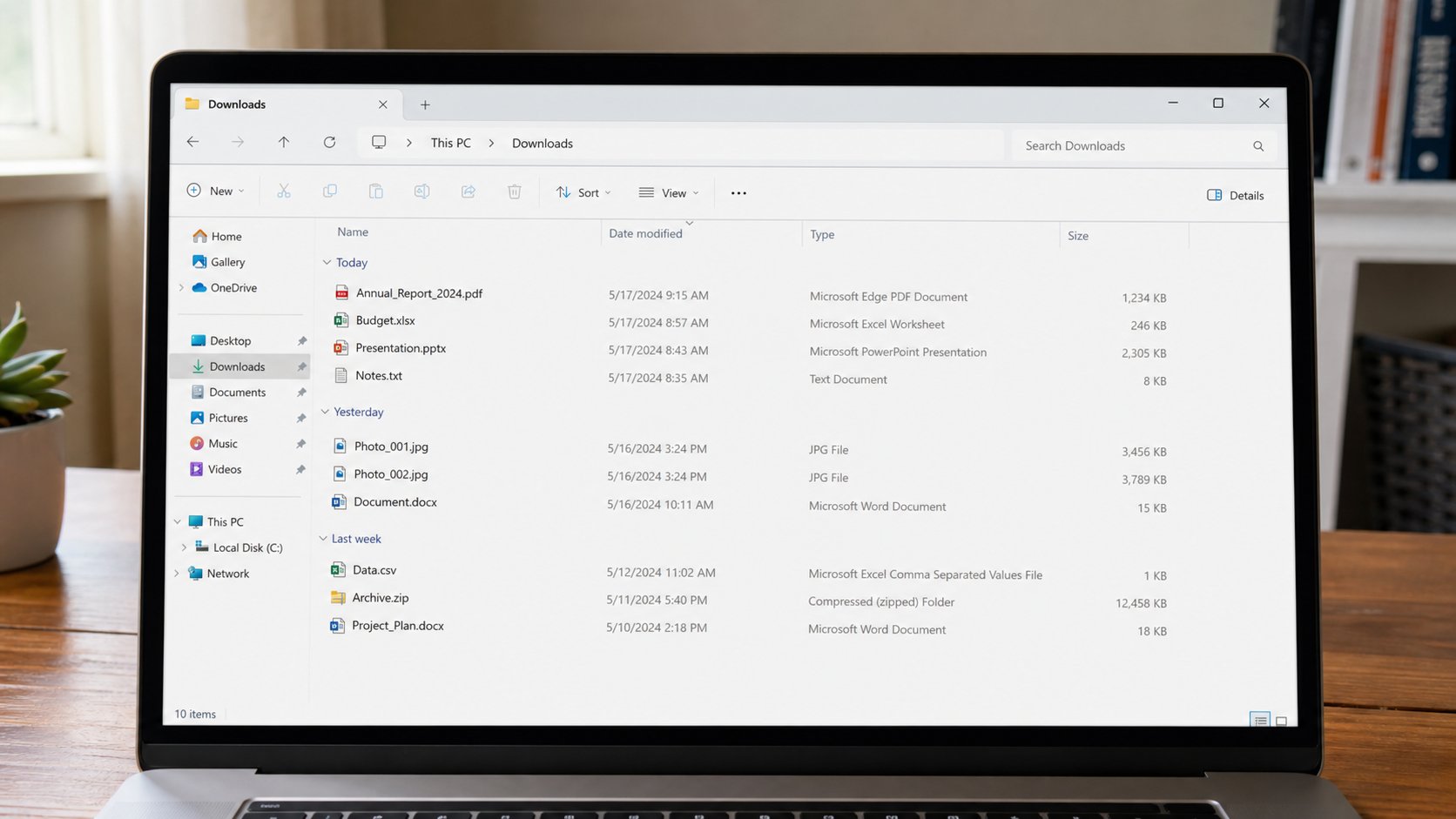
Size is how heavy the suitcase is. A page of text is light. A phone photograph is a brick. Email has a door that will not take bricks. Look at the Size column.
A file has a weight. The computer writes it as KB, MB, GB — kilobytes, megabytes, gigabytes. People send five phone photographs, the mail bounces, and they think Gmail is broken. The door has a width. A letter is a letter. A photograph from a modern phone is a wall, as you learned when shrinking. This lesson is the numbers on the Size column, what will travel, and what will fill a USB or a disk until the bar goes red.
Rough, in the hand: a page of Word is often tens of KB. A PDF of that page is similar, unless it is full of pictures. One phone photograph is often 2–8 MB. A minute of video can be tens of MB. A gigabyte is about a thousand megabytes — a small pile of video, or hundreds of photographs, or a huge pile of letters. You do not need the exact science. You need: text is light, photos are heavy, video is heavier, and installers are often heavy on purpose.
Email, USB, and the red bar
Gmail and many offices refuse around 20–25 MB for the whole mail. One unshrunk photograph can be legal. Five can bounce. A zip of a wedding will not go. Drive, or the USB in the pocket, or shrink as you learned. WhatsApp compresses pictures so they travel; that is soup, not a size lesson. Document keeps the weight, and may still refuse if the brick is huge.
A USB that says 8 GB is not 8 GB of your photos after formatting, and not 8 GB if it is a fake stick from a stall. Copy, then open a file from the stick, then eject. If the stick claims 1 TB and cost a sandwich, believe the sandwich. On the computer, This PC, the C: bar — green is room, red is the slow-computer lesson. Size is why that bar moves.
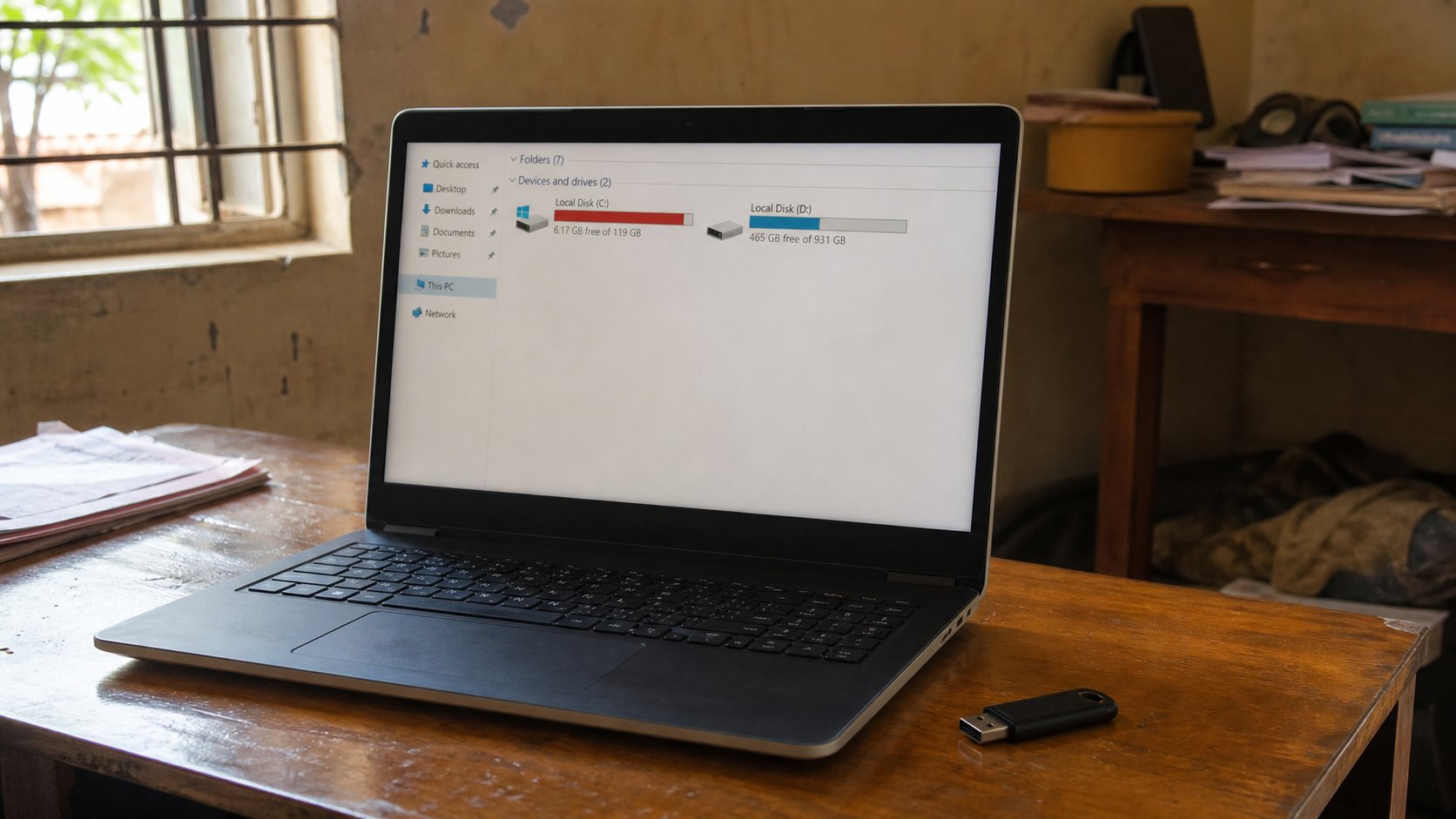
- Open Documents. Switch to Details view. Show the Size column if it is hidden.
- Find a letter and a photograph. Compare the two numbers. The photo should be the brick.
- If you have a USB, look at its free space the same way.
- Before you email a picture, look at Size. If it is more than 2 MB and they only need a face, shrink a copy.
What the number is not
It is not quality by itself. A 50 KB passport photo can be the right photo. A 12 MB blur is still a blur. It is not “speed” of the computer. A large file can open fine on a healthy machine. It is not a virus scan. Bigger is not guiltier. A shop that formats because “too many GB” without copying your Documents is selling convenience, not care.
When a form says “maximum 100 KB,” obey the number, as with the small photograph. When a portal says “2 MB,” that is the door. The Size column is how you know before you try. Look, then shrink or zip or Drive. The suitcase has a scale. Use it before you walk to the post.