Computer skills from scratch·The phone·Lesson 82 of 180
Freeze the top row so the header stays
 Ellis Dennis GrahamFounder, Cyber Elias Academy 2026-08-05 3 min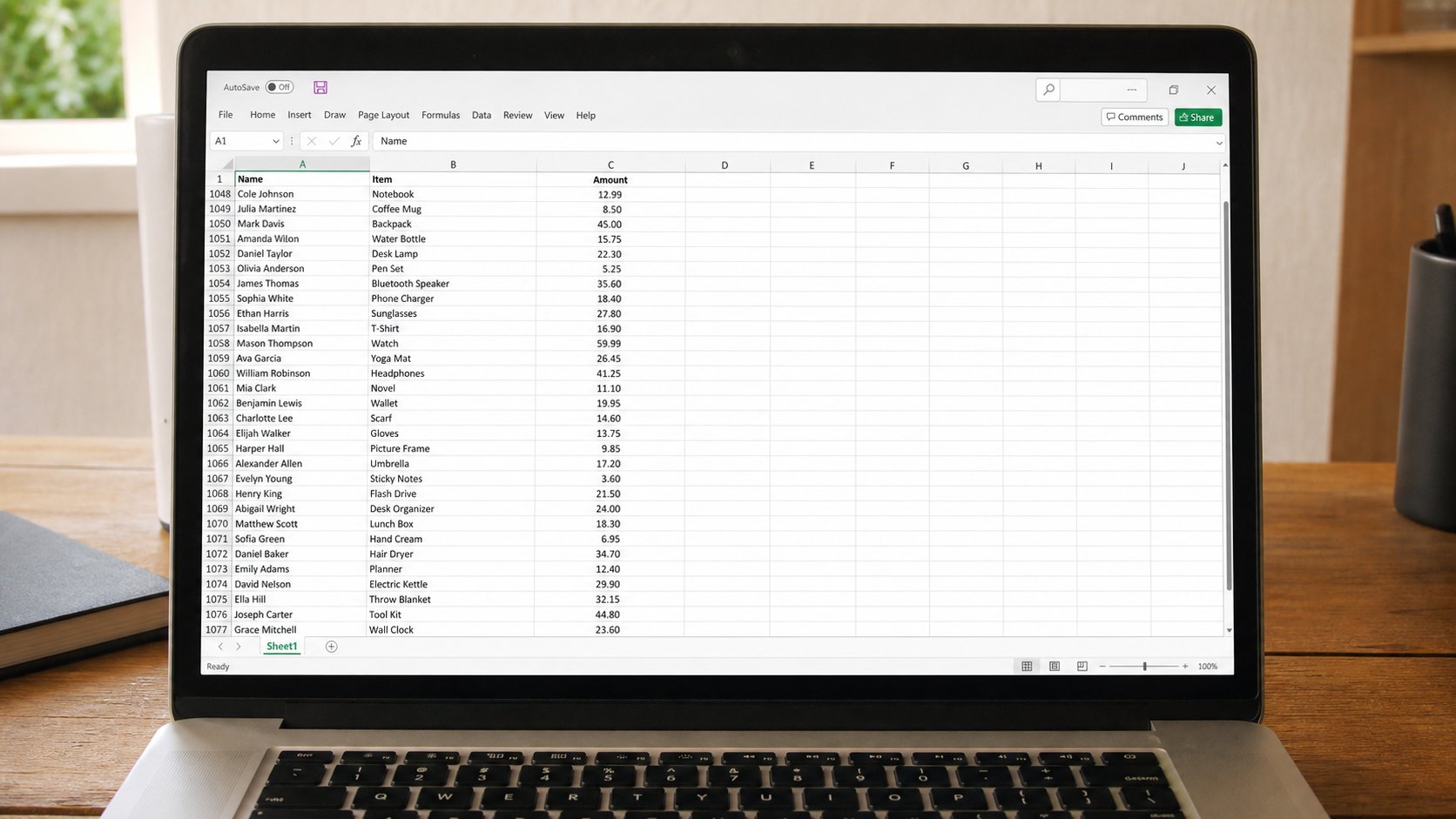
A long list swallows the words Name and Amount. Freeze panes pins the header. Scroll the people, keep the labels. You have not split the file. You have pinned a ruler.
Row 1 says Name, Item, Amount. Row 80 is a person you are checking. By the time you are at 80, row 1 has gone to heaven and you are guessing which column is the phone. Freeze is a pin through the header. The names still scroll. The labels do not. This lesson is View, Freeze top row, and unfreezing when the pin is in the wrong place.
Click anywhere in the sheet. View, Freeze panes, Freeze top row. Scroll down. Row 1 should sit still. Freeze first column is the cousin, for a wide sheet where the name on the left should not vanish when you hunt amounts on the right. Freeze panes (the general one) pins above and left of the cell you selected — so click the cell just under the header and just right of the names, then Freeze panes, if you want both. If that sounds like a knot, freeze top row only. It solves most registers.
When the pin is wrong
If you froze with a random cell selected, a line may cut the sheet in half and half your data will not scroll. View, Unfreeze panes. Then freeze top row, which does not depend on which cell is active. A thick grey line under row 1 is normal. A thick line under row 20 usually means you froze too late. Unfreeze, try again.
Sheets in the browser: View, Freeze, 1 row. Same idea. Split is a different tool — two scroll bars on one sheet — and you do not need it for a fee list. If you split by accident, View, Remove split, or drag the split bar to the edge until it dies.

- Make or open a list longer than the screen. Freeze top row. Scroll. Confirm the headers stay.
- Unfreeze. Scroll. Confirm they leave. Freeze again if you like living with the pin.
- Do not freeze in the middle of a table as a way to “lock” amounts. That is not protection. That is a stuck window.
- Save. Freeze is part of the file's view on this machine. Another person may not see your pin. The data is still there.
What freeze is not
It is not protect sheet. It is not hide. It is not a backup. People still edit frozen headers if they click them. If you want the header safe, that is a different lock, and you do not need it yet. For today: a ruler that stays while the register walks. When you can name column C at row 90 without scrolling home, the pin has earned its keep.