Computer skills from scratch·The phone·Lesson 83 of 180
Filling a formula down a column
 Ellis Dennis GrahamFounder, Cyber Elias Academy 2026-08-08 3 min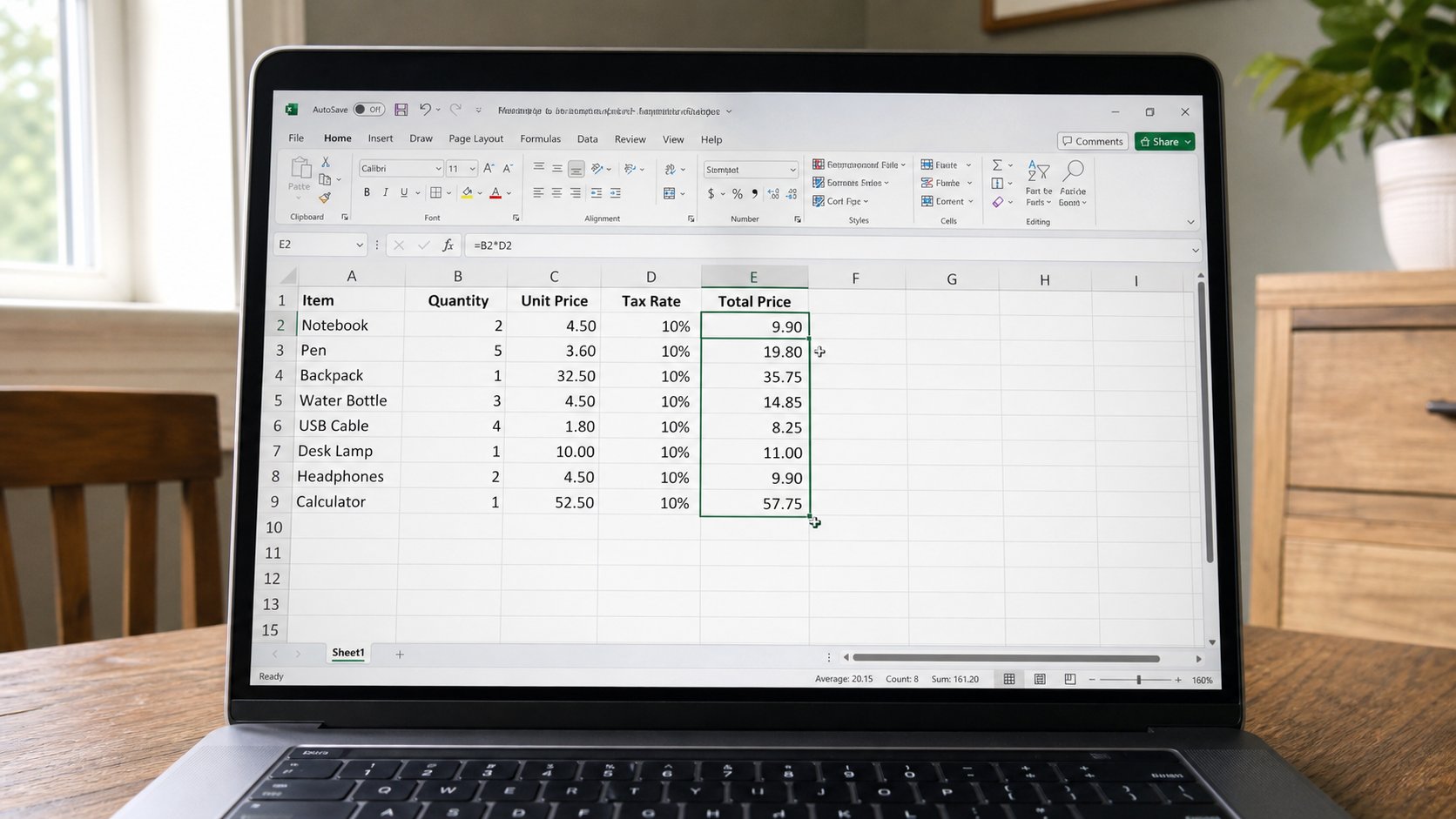
One SUM or one price times quantity is enough. The fill handle copies the idea down. Each row should keep its own cells. Watch the first three answers before you fill a hundred.
A shop book may need quantity times price on every line. You can type =B2*C2, then =B3*C3, then weep. The small square at the corner of a selected cell is the fill handle. Drag it down, or double-click it, and the grid copies the pattern: next row, next cells. This lesson is that handle, the difference between a relative cell and a number you meant to freeze, and why you look at row 3 before you fill to row 200.
Click the cell with the first formula. A tiny square at the bottom-right. Pointer becomes a thin cross. Drag down as far as the last row of facts. Release. Each new cell should show an answer, not the formula, unless you are in a view that shows formulas. Click row 4's answer. The formula bar should say =B4*C4, not still B2*C2. If it still says B2, you copied values, not the formula — Undo, copy the cell, paste formulas, or drag the handle again.
When one number should not walk
A tax rate in F1 should stay F1 on every row. If you fill =D2*F1 down, Excel may turn F1 into F2, F3, empty, empty. Put a dollar in: F$1 or $F$1 — the lock. Or type the rate 0.075 in the formula, which is ruder when the rate changes. For this course: keep the rate in a labelled cell, use $ to pin it, fill, check three rows. If that $ is a fog, do not fill a tax column yet. Fill quantity times price, which should walk.
Double-click the handle fills down as far as the neighbouring column has facts. If column B stops at 20, the fill stops at 20. If column B has a hole, the fill may stop at the hole. Drag by hand when the list is short. A hundred empty formulas below the data are zeros that will sit in a SUM if you were sloppy with the range. Fill to the last fact, not to row 1000 “in case.”

- In a practice sheet, quantity in B, price in C, =B2*C2 in D2.
- Fill down three more rows. Click each answer. Confirm the row numbers walked.
- Change one price. Confirm that row's answer moves and the neighbours do not.
- Save as fill-practice. Do not fill a live fees book until three rows have been true.
Paste, and the overfill
Ctrl+C on a formula, select a block, Ctrl+V, also fills. Same checks. If you overfill onto a total row, the total may become a product and the book will lie with confidence. Leave a blank row before the SUM, or look at the last formula. You already know Undo. Use it the second the column looks too clever. The handle is a servant. It will copy a mistake as cheerfully as a truth.