Computer skills from scratch·Everyday office·Lesson 53 of 180
Calendar and reminders
 Ellis Dennis GrahamFounder, Cyber Elias Academy 2026-05-24 2 min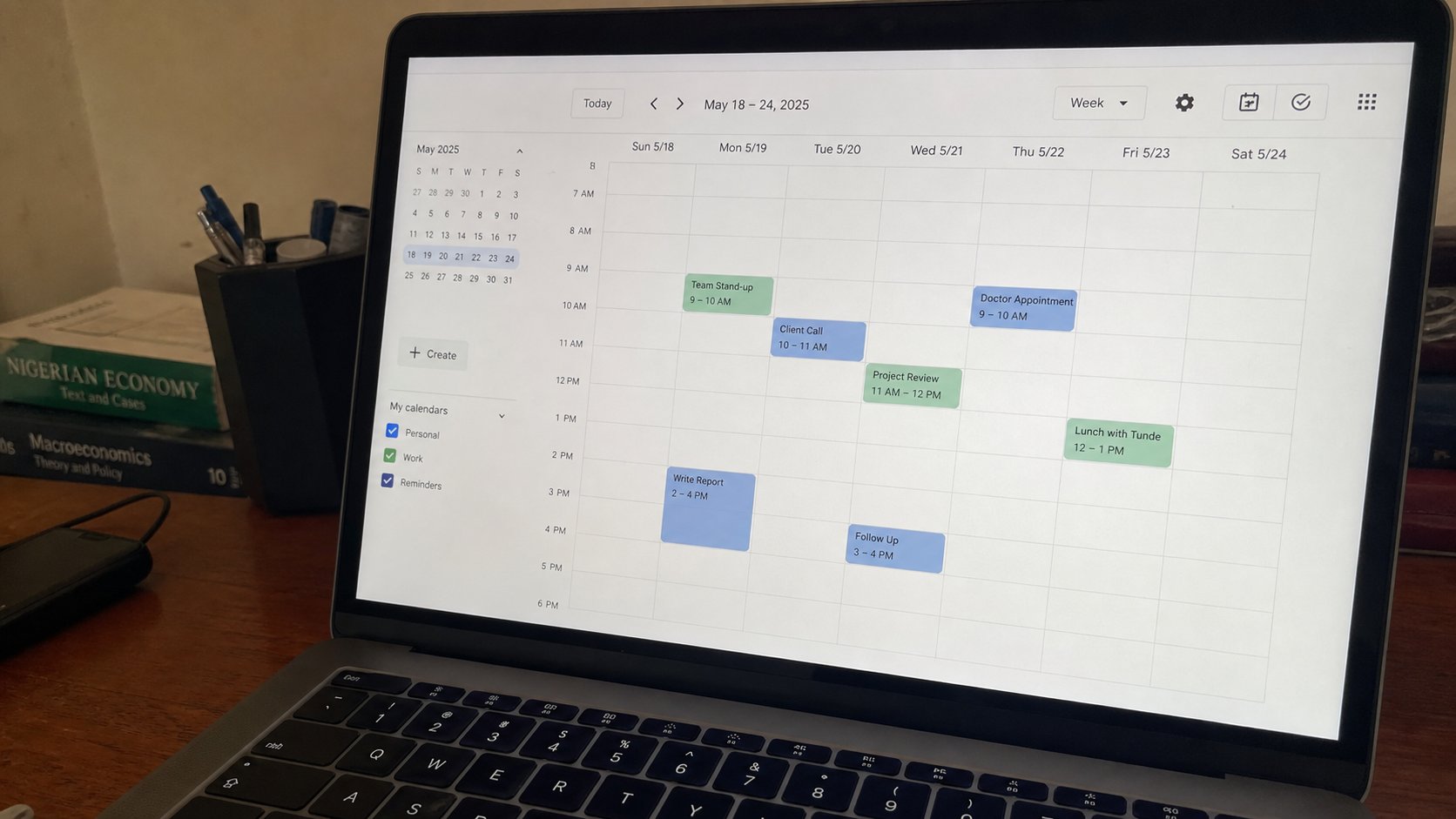
A calendar is a wall chart that can tap you on the shoulder. One sitting, one date, a time, a name. The phone and the laptop can share it if they share an account.
Paper diaries work. Phones already buzz. A calendar on the computer is the same wall chart, with a reminder that does not depend on you opening the book. Google Calendar, Outlook, the Windows calendar — three names. The idea is one: a day, a time, a sentence, an alarm. This lesson is making one event, not becoming a productivity person.
If you have Gmail, calendar.google.com on the real street is enough. Click a day, type JAMB registration, set a time, Save. A reminder defaults to ten or thirty minutes before. That is a tap on the shoulder. Put the real time of the thing, not the time you wish to start getting ready, or you will bargain with the alarm and lose.
The phone, the laptop, the same account
Sign the phone into the same Google account and open the Calendar app. The JAMB line should appear. That is the cloud, doing a small job. If it does not appear, pull down to refresh, or confirm the same address. Two accounts is how events vanish. You have one house; use it.
All-day events are birthdays and deadlines that are a date, not a clock. Timed events are classes. Recurring — every Tuesday — is useful and dangerous. A class that ends in June should not still buzz in November. When the term ends, open the event, end the series. Do not delete one Tuesday and think the rest have gone.

- Open the calendar you already have — Google if you made the account.
- Create one event this week with a real name and a time.
- Set a reminder. When it buzzes, you may dismiss. You have proved the tap.
- Do not import a stranger's ICS file from a WhatsApp. That is a cousin of the link you should not open.
Invitations, and what not to accept
Email will bring “Will you attend?” calendar invites. Accept only if you know the sender. A meeting invite from a stranger is a phishing costume. Decline, or ignore. Do not click “Join Zoom” from an invite you did not expect. Walk to the real street if the class is real.
A calendar is not a cage. Three events a week is a tool. Forty overlapping colours is a second job. Put fees deadlines, class times, a birthday you always miss. Leave the rest to the paper on the wall if that is how the house already works. The computer should tap you. It should not become the only clock in the room.