Computer skills from scratch·The phone·Lesson 90 of 180
When an app asks for the camera or your location
 Ellis Dennis GrahamFounder, Cyber Elias Academy 2026-08-25 3 min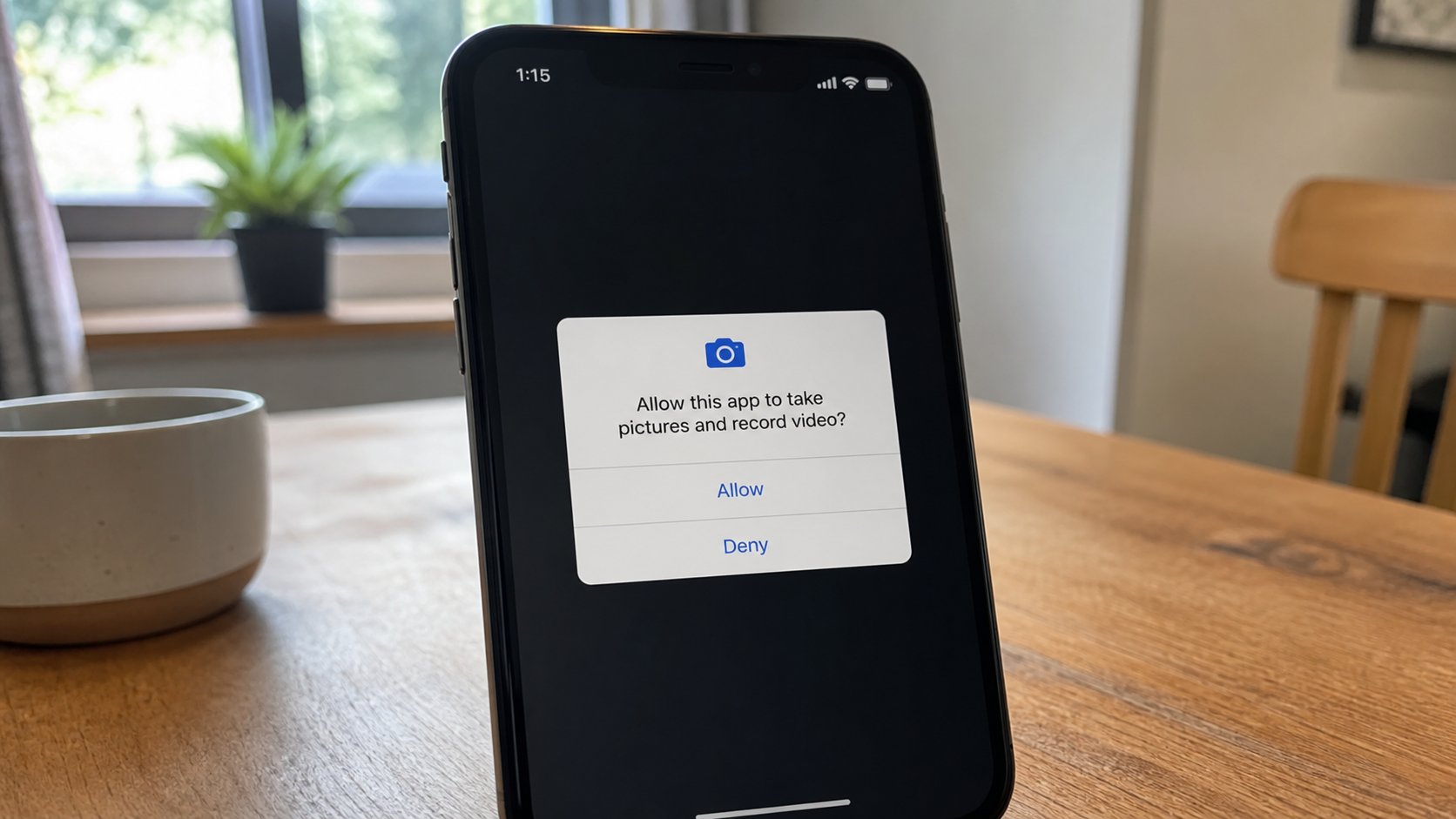
A permission is a door. Camera, microphone, location, contacts. Allow only if the app needs that door for the job you asked. Deny is a full sentence.
You install a torch app. It asks for contacts, location, and the microphone. That is not a torch. That is a guest requesting the house. A permission is a door in the phone: camera, microphone, location, contacts, files, notifications. The app cannot walk through until you say Allow. This lesson is reading the door, saying Deny without shame, and changing your mind later in Settings.
When the box appears, name the job. WhatsApp needs the camera for a photo in a chat, the microphone for a voice note, contacts if you want to find who else has the app. A game does not need your contacts. A PDF reader does not need the microphone. Maps needs location while you use it — “only while using the app” is the kind option on modern phones, not “all the time.” Deny, or Don’t allow, is allowed. The app should still do the rest of its job. If it refuses to open until you Allow everything, that app is a stall. Uninstall.
The list after the fact
Settings, Apps, the app's name, Permissions. A list of doors and whether they are on. Turn off the ones that surprise you. Photos versus All files: a school app that must upload one PDF needs access to that file, not to the whole gallery forever. On newer Androids you can pick a file at the moment of upload. Prefer that. Notifications are a permission too. A shop app that pings ten times a day can be muted here without uninstalling, if you still need it.
The browser asks as well: this site wants to know your location, use the camera, send notifications. A maps site may need location. A news site that wants notifications is a tap on the shoulder you can refuse. You met this in the webcam lesson on the computer. The phone is the same doors, in a pocket.

- Open Settings, Apps. Pick one app you use. Read its permissions.
- Switch off one door that does not match the job — a game with contacts, a torch with location.
- Use the app. If it still works, you were right.
- Do not Allow a new app all doors on the first sitting because the screen is in a hurry.
Once you have said yes
A permission given is not a marriage forever. You can close the door. If you already allowed a random app, turn the doors off, then uninstall. Changing a password is for accounts; permissions are for this device. A cousin who borrowed the phone may have said Allow for you. Look at the list after they leave, the way you look at Linked devices after a café.
You are not being asked to fear every app. You are being asked to match the door to the job. Camera for a camera. Location for a map. Microphone for a call. Contacts for a phone book. Everything else can wait. Deny is a full sentence. The app will not take offence. It does not have feelings. It has a list. Keep the list short.