Computer skills from scratch·The phone·Lesson 89 of 180
When the phone says storage is full
 Ellis Dennis GrahamFounder, Cyber Elias Academy 2026-08-23 3 min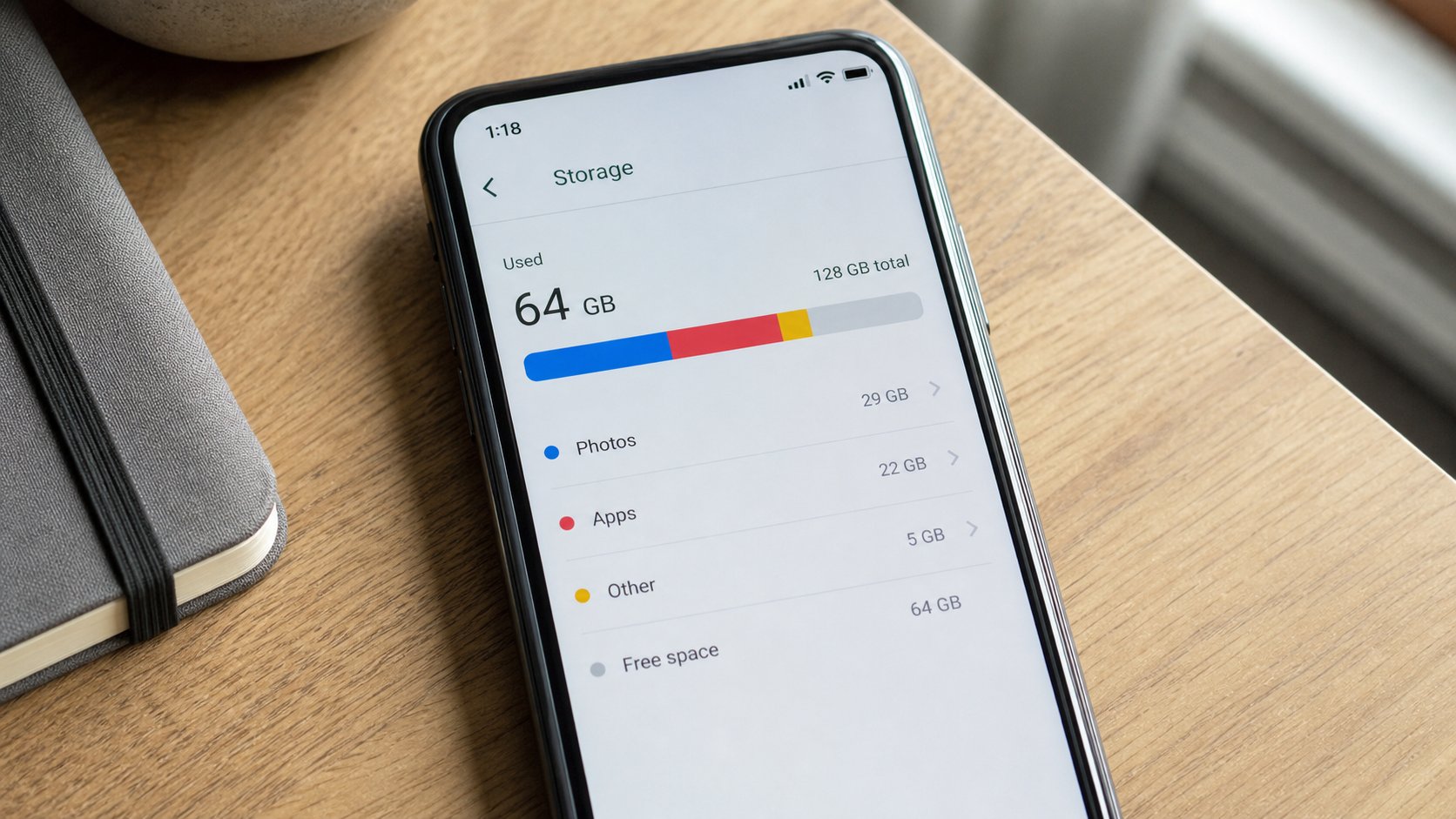
Photos, WhatsApp, and video fill a pocket. The computer is a drawer. Delete the soup, keep the originals you already copied. A “cleaner” app is usually a stall.
A phone fills the way Downloads fills: quietly, then all at once. You cannot install an update, cannot receive a photo, the camera refuses. Storage full. The usual fat is the gallery, WhatsApp's own folder of pictures, downloaded films, and apps you have not opened this year. This lesson is looking at the bar, walking copies to the computer first, then deleting with a name, not with a shouting cleaner.
Settings, Storage — a bar, then a list: Photos, Apps, Other. Other is often WhatsApp and caches. You already know how to copy photographs off the phone with a cable. Do that before you delete. Open a few on the computer. Then, on the phone, delete the ones you have seen on the larger screen. WhatsApp: Settings, Storage and data, Manage storage. It will offer large files and old videos. Those are often soup. The originals, if they were yours, should already be in Pictures on the computer.
What to delete, what to leave
Safe to consider: downloaded films you have watched, installers, screenshots of OTPs, WhatsApp statuses that landed in the gallery, duplicate burst shots of the same plate of rice. Not safe to guess: the WhatsApp Databases folder if you do not know it, system apps, Downloads you have not opened. Uninstall apps from Settings, Apps — the guest list — not by dragging an icon to a bin that only removes the sign, on some phones. You have met that lie on the desktop.
Cache is leftover packing. Clearing cache in Storage, or inside an app's info, can free space without deleting your photos. Clearing data is ruder: it signs you out of that app. Read the word. Cache, not data, unless you mean to start the app from zero.

- Open Settings, Storage. Note the largest item.
- If it is photos, copy a year to the computer. Open three. Then delete from the phone only those you have confirmed.
- In WhatsApp, Manage storage. Delete a large video you do not need. Do not delete the whole chat until you mean it.
- Do not install a “phone booster” from an advert. Settings is the cleaner.
Cloud, SD cards, and the shop
Google Photos can offload pictures if you chose that on purpose and the bundle can stand it. An SD card is a second pocket; some phones still have the slot. Apps on the card are fussy. Photos on the card vanish if the card dies. Copy to the computer is still the backup. A shop that “cleans storage” in five minutes without your cable has deleted first. Ask them to copy. Stand there.
When the bar has room again, the camera will open. That is the whole practical aim. A full phone is not a virus. It is a pocket with too many bricks. You know bricks from kilobytes. Walk them to the drawer. Then the pocket works.