Computer skills from scratch·Files that travel·Lesson 28 of 180
Zipping a folder to email
 Ellis Dennis GrahamFounder, Cyber Elias Academy 2026-03-22 3 min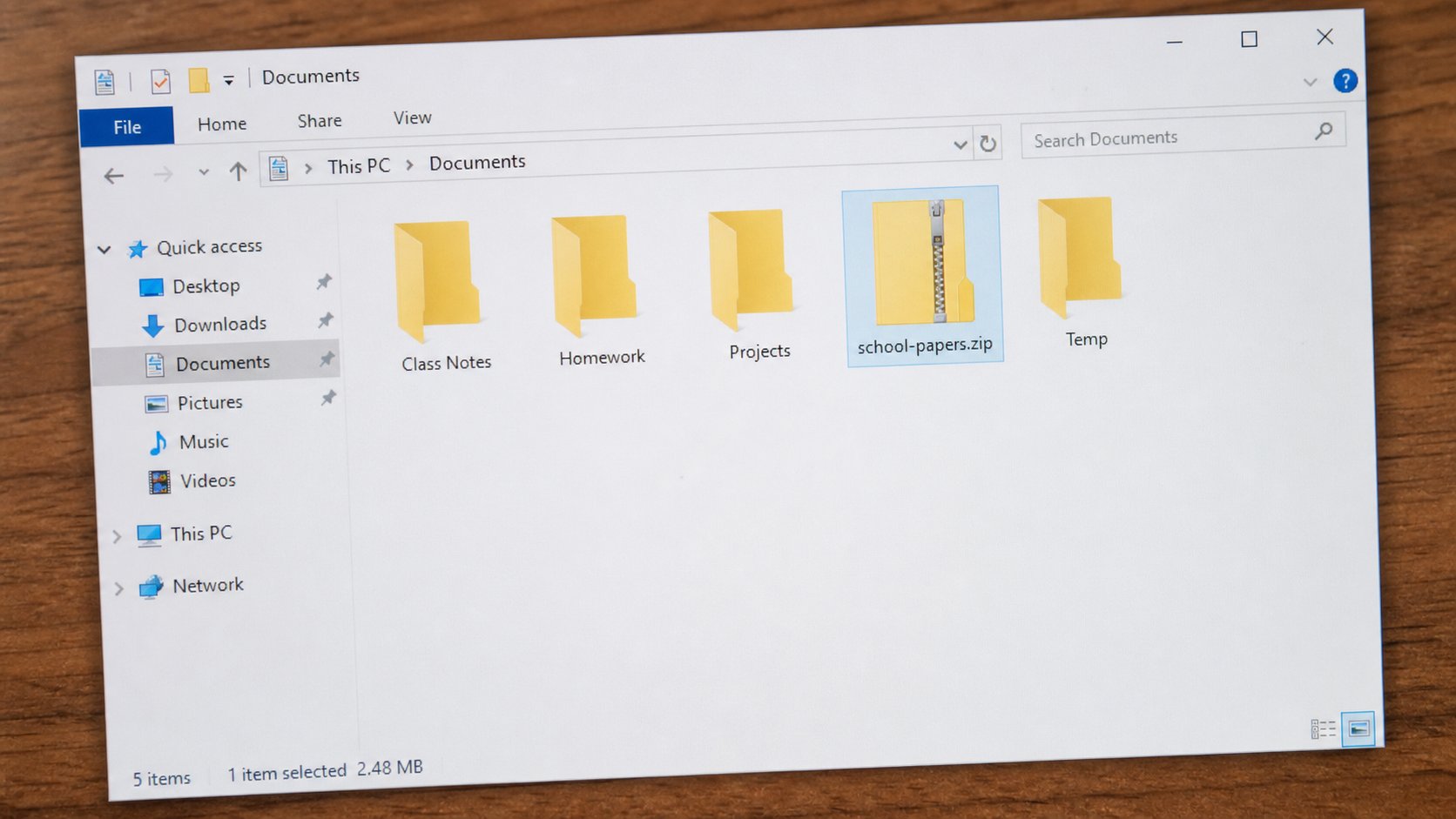
A zip is a suitcase. Many files become one. Attach the suitcase, not twenty photographs. The other person unzips on their desk.
Email dislikes a crowd of attachments. Twenty photographs, each with its own paperclip, will bounce or clog. A zip is a suitcase: many files, one object, often smaller. Windows can make one without extra software. The other person double-clicks it, or right-clicks Extract, and the files come out on their desk. This lesson is packing, attaching, and not sending a suitcase of the wrong room.
A zip is still a file. It has a name and a .zip at the end. It is not encryption unless you added a password, which Windows' simple zip does not really do well. Do not put secrets in a zip and call them safe. Put the school papers you were asked to send together, or the photographs of a filled form, front and back.
Packing
Put the files in one ordinary folder first — school-papers — so you know what is going in. Then right-click the folder, Compress to ZIP file, or Send to, Compressed (zipped) folder, depending on the Windows version. A new file appears beside the folder, same name, .zip. If the name is still highlighted, you can type a better one before you press Enter. school-papers-amaka.zip will still make sense in someone else's Downloads.
Open the zip with a double-click if you want to peek. It looks like a folder but it is the suitcase interior. Do not work from inside it as if it were Documents — save and edit in the real folder, then pack again if you changed something. On a Mac, right-click, Compress. Same suitcase, same .zip.
- Make a folder called zip-practice. Put two small files in it.
- Right-click the folder, compress to zip. Confirm school-papers is still there as well as the zip.
- Email the zip to yourself. Download it on the same machine or another. Extract. Open a file.
- That round trip is the whole skill.
Too heavy, and unpacking someone else's suitcase
Gmail and many offices cap attachments around 20–25 MB. A zip of camera photographs can still exceed that. Then use Drive, or send two zips, or shrink pictures first. A bounced mail with no zip is a silent failure — watch for the failure message. If you were asked for PDF, do not zip a Word file and hope. Pack what they named.
When someone sends you a zip: download, then right-click, Extract All, choose Documents, not Desktop if you can help it. Look at the files before you open a .exe inside a zip from a stranger. A suitcase can hold a guest you did not invite. You know installers now. A zip of PDFs and pictures is ordinary. A zip of setup.exe from a person you do not know is the link you should not open, wearing a zipper.