Computer skills from scratch·Everyday office·Lesson 60 of 180
What “the computer has a virus” usually is
 Ellis Dennis GrahamFounder, Cyber Elias Academy 2026-06-10 3 min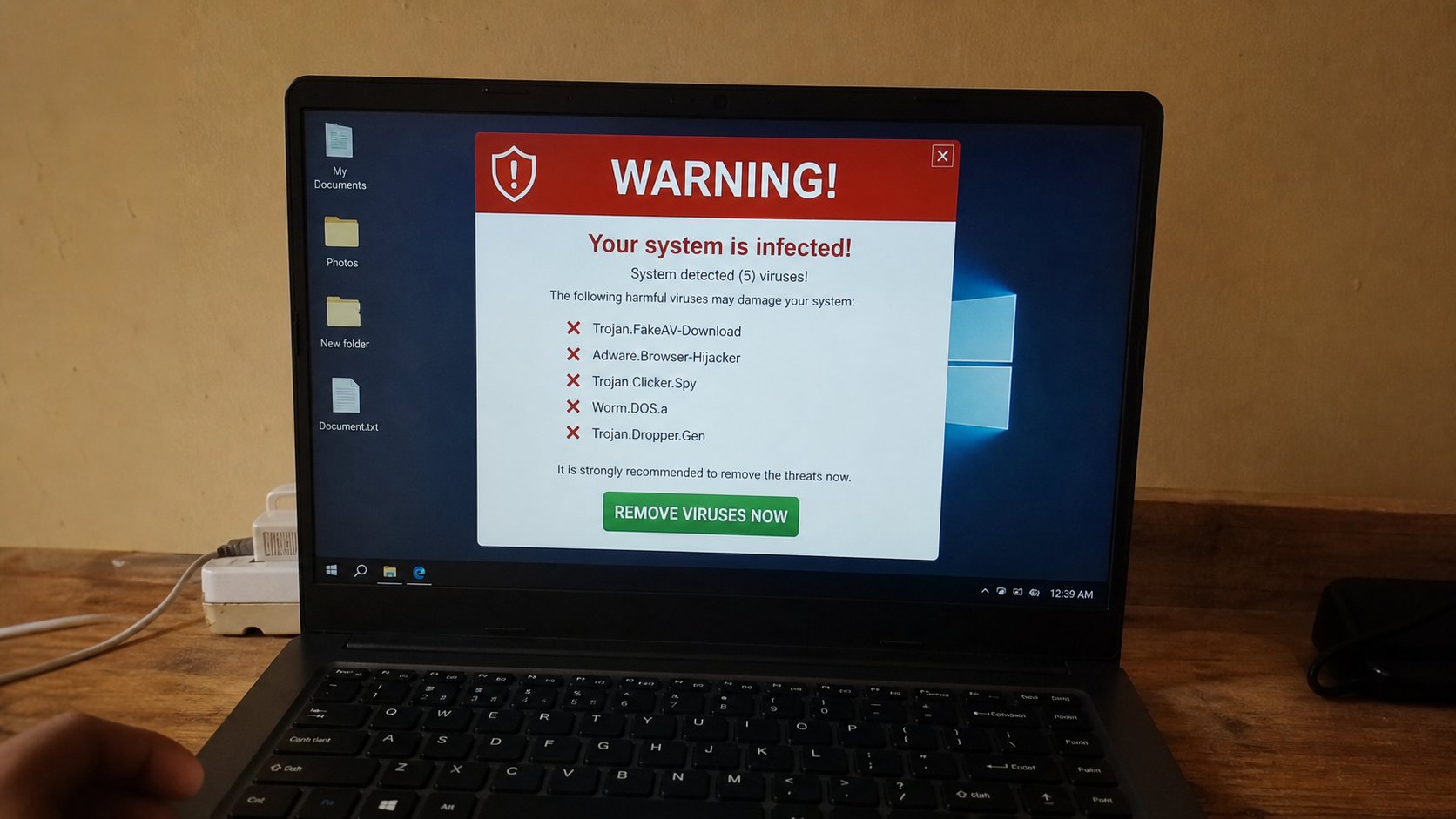
A flashing count of infections is usually an advert. A real problem is quieter: a file you cannot open, a browser that will not leave a stranger's page, a program you did not install. Close the scare. Do not call the number on it.
Someone will say the computer has a virus. Sometimes they are pointing at a banner that will not close. Sometimes a cousin installed a “cleaner.” Sometimes a shop wants a fee. Real malware exists. It is usually quiet. It does not put a siren on your screen with a phone number in Lagos or India. This lesson is the scare, the quiet problems, and the first walks that do not begin with a credit card.
A page that fills the screen with “YOUR PC IS INFECTED — CALL NOW” is a website. It is not Windows. It cannot see your files. Alt+F4, or close the tab, or close the whole browser. If it went full screen, F11, then close. Do not call the number. Do not download the “removal tool” it offers. You have met this cousin in updates, in audio fixers, in cookies. Same family. Same door: close.
Quiet trouble, and what to actually do
Quieter signs: the browser's homepage became a stranger and you cannot change it. New toolbars. Passwords that fail because a fake page ate them last week. A program in the Apps list you never chose. Pop-ups even when the browser is closed — that last one is more serious. Walk: uninstall extras you can name, as you learned. Change the email password from a machine you trust. Run Windows Security, which is already on the computer — Start, type Windows Security, Virus & threat protection, a scan. It is not exciting. Excitement is the product they sell.
A file that will not open, or a ransom note that says pay in crypto to get your letters back, is a real bad day. Unplug from the network if you can, do not pay from panic, copy nothing onto your only USB until someone who knows backup-for-ransom has spoken. The academy can look. A random Facebook helper cannot. Backup from last month is the whole religion here. If you have no backup, you still do not pay a banner.

- If a scare page appears, close the tab. No downloads. No numbers.
- Open Windows Security yourself, from Start, not from a banner. Note what it says. It often says nothing is wrong.
- Look at Apps for a name you do not remember. Uninstall only what you can defend.
- If mail was opened on that sitting, change the mail password from a different, trusted machine.
Prevention is the boring list you already have
Updates. The real street. No unknown installers. No USB from a stranger without a look. A browser that is not a carnival of toolbars. Guest on shared machines. That list is the antivirus. Windows Security is the night watchman, not a preacher on a billboard. A paid extra antivirus can be fine if you chose it on purpose; three at once fight each other. One is enough. Zero extra is also enough for a careful person.
When a relative says “virus,” ask what they saw. A red page is a website. A slow machine is heat, disk, crowd. A missing file is the Recycle Bin. Name the thing. Then walk. You now have enough names to refuse a shop that formats first and talks second. Backup, then a person you can see. The siren on the screen is not the disease. It is an advert with a costume.