Computer skills from scratch·Everyday office·Lesson 59 of 180
Shrinking a photo so email will take it
 Ellis Dennis GrahamFounder, Cyber Elias Academy 2026-06-08 3 min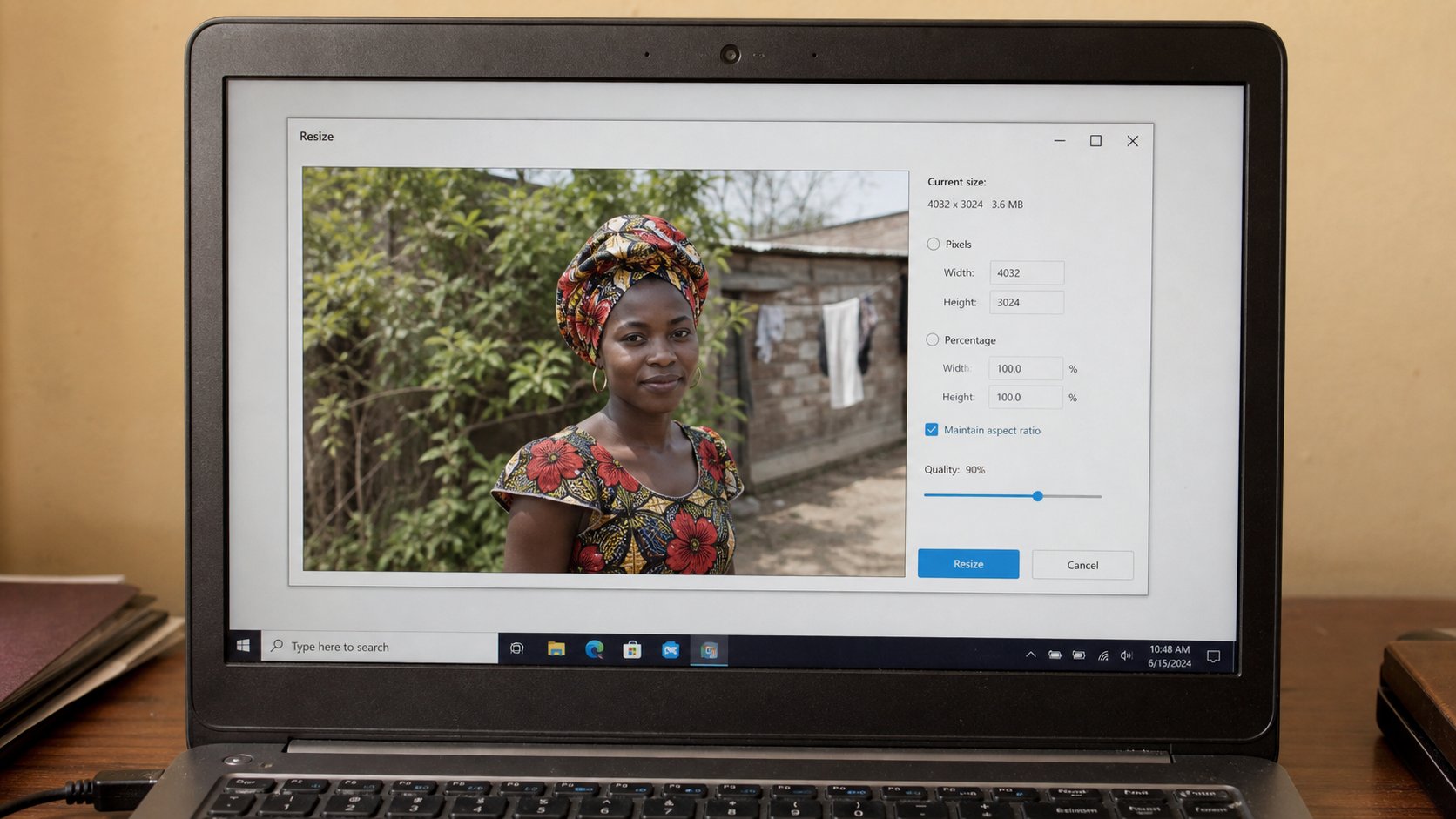
A phone photograph is a wall. Email wants a window. Resize is not crop. Save a copy. The original stays in Pictures.
Phone cameras save large files. A single portrait can be three or eight megabytes. Five of those will bounce from Gmail or sit in a queue until you leave the café. WhatsApp shrinks by force and makes soup. Email often refuses. The kind middle is a smaller copy: enough to see a face or a receipt, small enough to travel. This lesson is copy, resize, save as, attach the copy.
Do not work on the only original. In Pictures, copy the file — Ctrl+C, Ctrl+V — and rename the copy receipt-small.jpg. Open it in Photos, Paint, or whatever preview the machine has. You want Resize, not Crop. Crop cuts the picture. Resize keeps the whole picture and makes the grid of dots smaller. A receipt still shows the whole slip. A head still has shoulders if it had them.
Paint, Photos, and a number
In Paint: Resize, Pixels, uncheck “maintain aspect ratio” only if you like distortion — leave it checked. Set the longer side to 1280 or 1600. OK. Save. In Windows Photos, there is often Edit, then a resize or save a copy. On a Mac, Preview, Tools, Adjust Size. The file size in kilobytes should drop. A passport photo for a form is often asked in kilobytes — 50 KB, 100 KB. That is smaller still; 600 pixels on the long side, saved as JPEG. If the form rejects, you are still too heavy. Smaller, new copy, try again.
JPEG is the usual type for photos. PNG is heavier and useful for a poster with text. Do not convert a receipt to a masterpiece. Save as JPEG, quality medium if it asks. The words on the receipt must stay readable. Zoom the small copy before you send. If the naira amount is a blur, you shrank too far. Undo, a middle size.
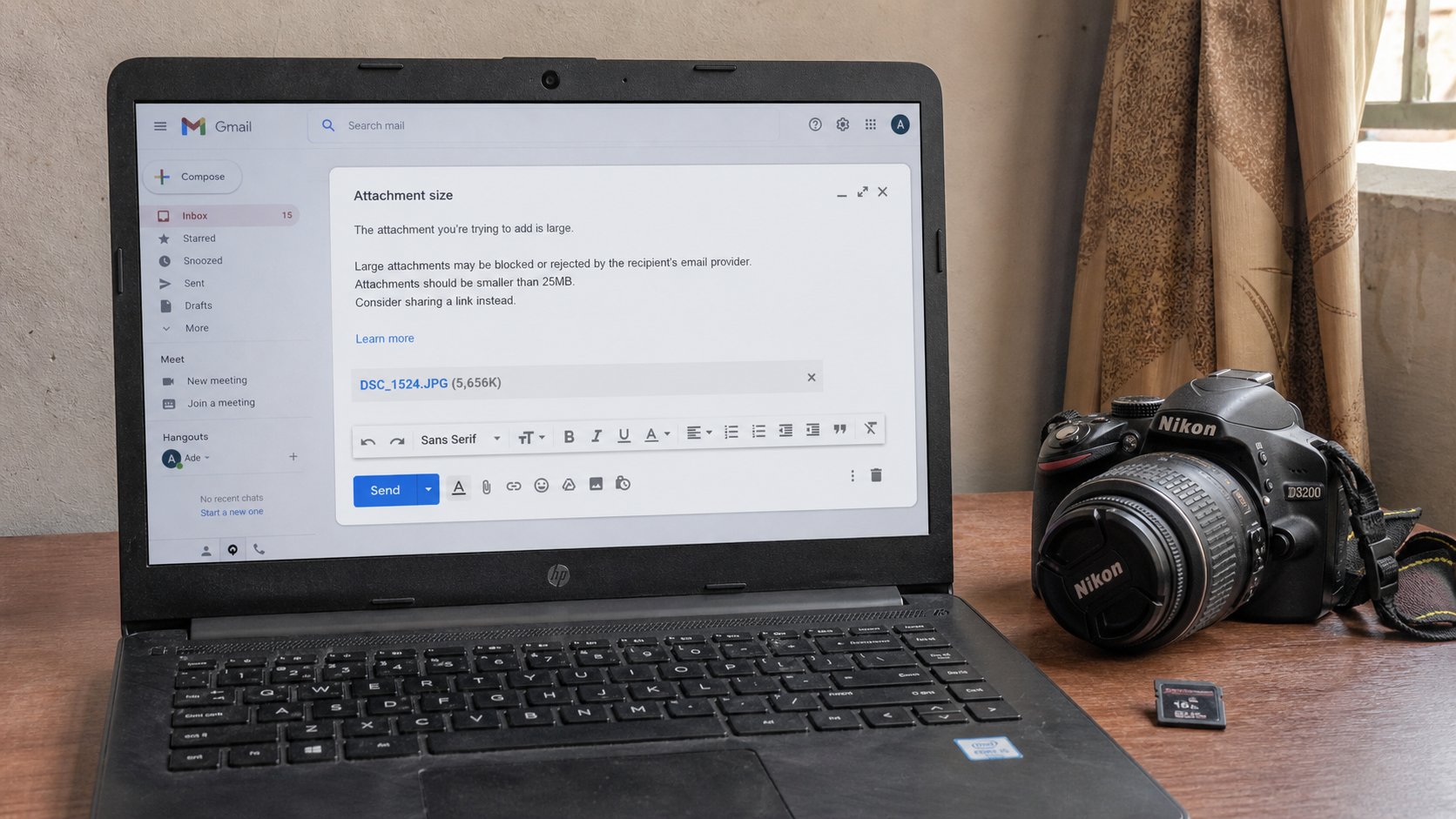
- Copy one photo. Rename the copy with -small.
- Resize the long side to about 1280 pixels. Save.
- Compare the two file sizes in File Explorer — Details view, Size column.
- Attach the small one to a mail to yourself. Confirm it opens and can be read.
What not to do
Do not screenshot a photo to shrink it — you lose quality and gain a taskbar. Do not send the whole DCIM zip and hope. Do not use an online “compressor” you reached from an advert; you are uploading the face to a stranger. Paint is enough. If a job portal wants 20 KB, it will say so. Obey the number. A blurry ID is worse than a second attempt.
The original remains in Pictures, in the room you made, backed up if you learned that lesson. The small copy can live next to it or in the Fees folder if it is a receipt. Names: receipt-march-small.jpg. You know why. Email will take a window. It will not take a wall. Give it a window.