Computer skills from scratch·The workshop and the bench·Lesson 179 of 180
The repairs engineer and the bench
 Ellis Dennis GrahamFounder, Cyber Elias Academy 2026-09-21 4 min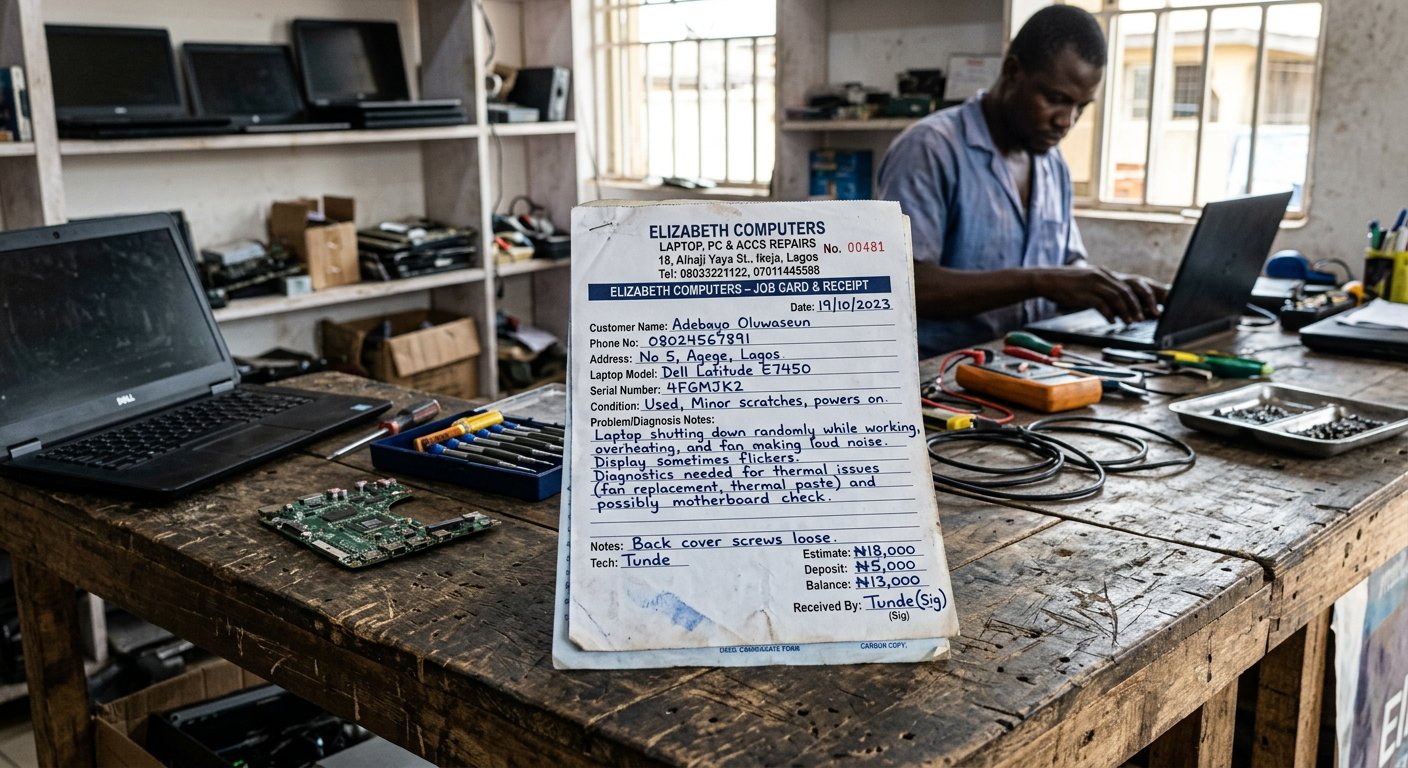
Taking your laptop to a commercial workshop in town. The photographic inventory, serial numbers, password rules, agreed diagnostic bounds, and asking for old parts back in your hand.
There comes a day when the soldering iron, the microscope, or the broken screen hinge requires tools and skills that do not exist on your kitchen table. You must carry your laptop to a commercial repair workshop in town. For most people, this is a moment of deep suspicion and fear. Everyone has heard the stories from friends: 'I took my laptop to fix a charging port, and when I went back three days later, my original high-capacity battery had been swapped for a dead one, my eight gigabytes of RAM had become four, and the boy had copied all my private family pictures onto his phone!' These things happen, but they only happen to clients who arrive without protocol.
An honest artisan loves a prepared client. When you walk into a workshop with clear boundaries and documentation, three things happen instantly: the engineer realizes you are not a novice to be cheated, careless hands treat your machine with respect, and both sides leave the transaction with trust and peace of mind. Here is the four-step protocol for visiting any repair bench.

The photo inventory and the password rule
Rule one: never hand over your personal Windows login password for a physical repair! If a technician is fixing a broken hinge, replacing a cracked screen glass, or resoldering a loose charging socket, he needs electrical power and a screen test; he has zero professional reason to enter your personal Windows desktop, open your email, or browse your documents. If the computer still boots, create a temporary guest account named 'Test' with no password, and sign out of your own account. Better yet: if the repair is purely mechanical and your drive pops out easily, slide the SSD out and keep it safely in your pocket at home. A laptop can easily turn on to a test USB drive without your private life inside it.
Rule two: the photographic inventory. Right on the repair counter in front of the engineer, set the laptop down, pull out your phone, and take four clear pictures: the white sticker on the belly showing the exact serial number (Service Tag or Serial No), the screen turned on showing the glass has no cracks, and any existing scratches on the body. Then open Windows Settings > System > About, and snap a picture of the installed RAM and storage size. When the technician sees you systematically documenting every component right before his eyes, any temptation for an apprentice to swap your good parts vanishes into thin air.
Rule three: the agreed diagnostic bound. Insist on a written paper receipt or job card that states your serial number, the exact reported fault ('charges intermittently when wire is bent'), and the diagnosis fee. State plainly: 'Diagnose the fault and call me with the quote before you replace any part.' And finally, the cardinal law of collection: always ask for the old damaged part back in your hand! If the technician tells you he replaced a burnt charging chip, a dead battery, or a bad keyboard, ask for the old damaged piece in a small nylon bag. An honest engineer hands it over with a smile because it proves he actually did the work; an opportunist who simply heated a loose solder joint with a lighter will start stammering.

- Never hand over your personal Windows password: create a clean test account or pull out your storage drive for physical repairs.
- Photograph the serial number sticker, the casing condition, and your RAM/storage specs on the counter in front of the engineer.
- Insist on a written paper receipt specifying your serial number and the agreed diagnostic fee before leaving the shop.
- Always demand your old replaced parts returned to you in a small bag upon collection.
Professional dignity
A good repair engineer is one of the most valuable artisans in any community. Treat him with respect, pay his diagnostic fee honestly, but arrive with your documentation intact. When both sides follow clear boundaries, machines are repaired properly, relationships endure, and your computer comes home healthy and whole. Next: the ten-year machine — how to step off the endless upgrade treadmill.