Computer skills from scratch·Spreadsheets and sharing·Lesson 78 of 180
Comments on a document
 Ellis Dennis GrahamFounder, Cyber Elias Academy 2026-07-26 3 min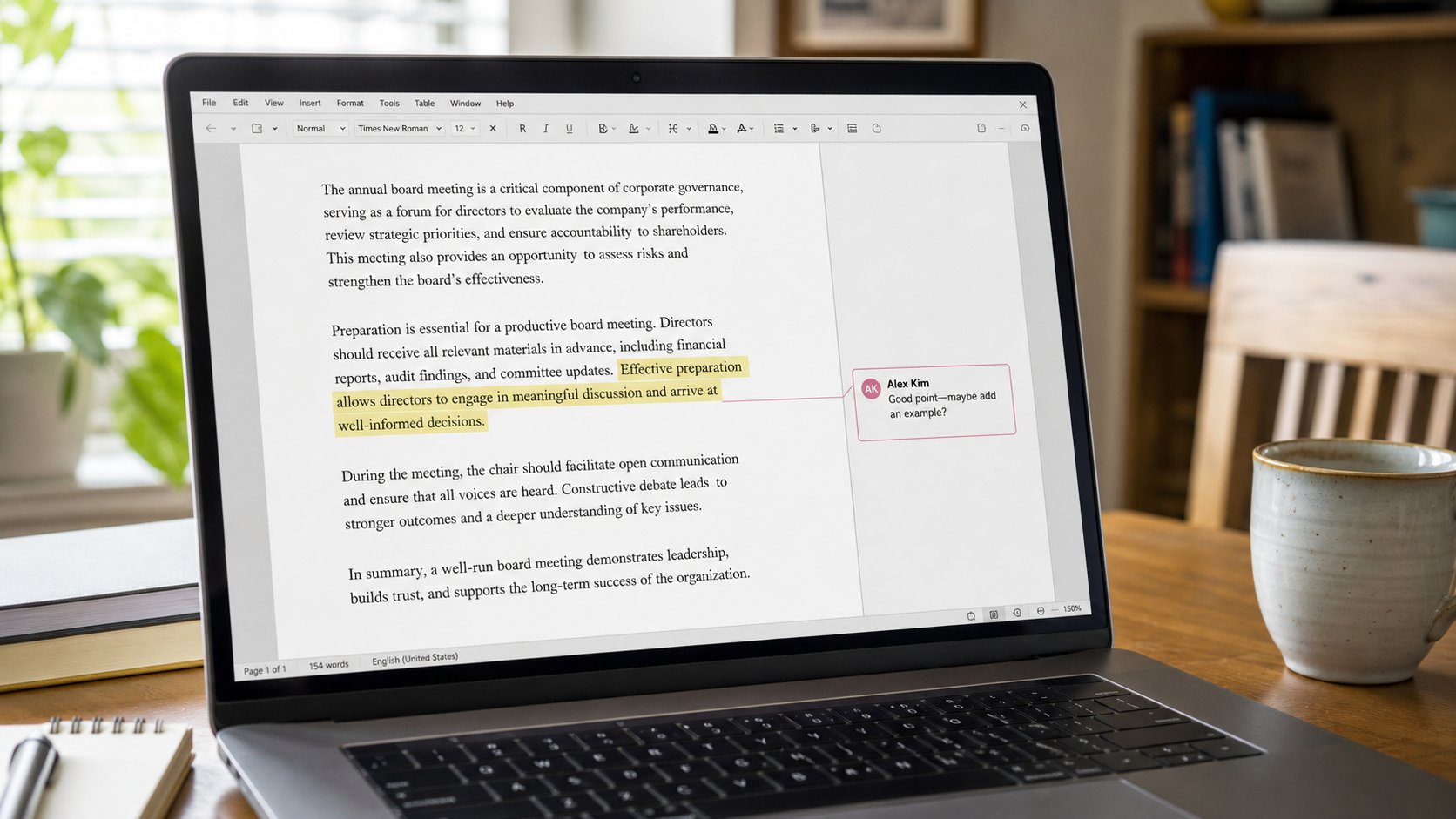
A comment is a note in the margin, not a change to the letter. Reply, resolve, or ignore. Suggesting is a cousin that writes in another colour. You still own Accept.
Two people on one letter can shout in the body: red, caps, “CHANGE THIS.” A comment is a sticky note on a sentence. The sentence stays until someone edits it. Google Docs, Word, and PDFs with comments all use the same idea. This lesson is leaving a note, reading one, and not treating a comment as an order from the machine.
Select a word, as you learned. Right-click, Comment, or the + in the margin. Type one thought: “Date is March, should be April.” Send or Comment. A small mark sits in the margin. The other person clicks it, replies, or Resolve. Resolve hides the thread. It does not mean the sentence changed. Look at the words. If they are still wrong, the note was only a note.
Suggesting, and Accept
Suggesting mode, in Docs, writes new words in a colour and calls them a suggestion. The owner sees Accept or Reject. That is mail merge's cousin: a factory of edits you still have to look at. Accept all is Replace all. Sample first. In Word, Track Changes is the older name. Same manners. If you are the owner, you are not rude to Reject. It is your letter.
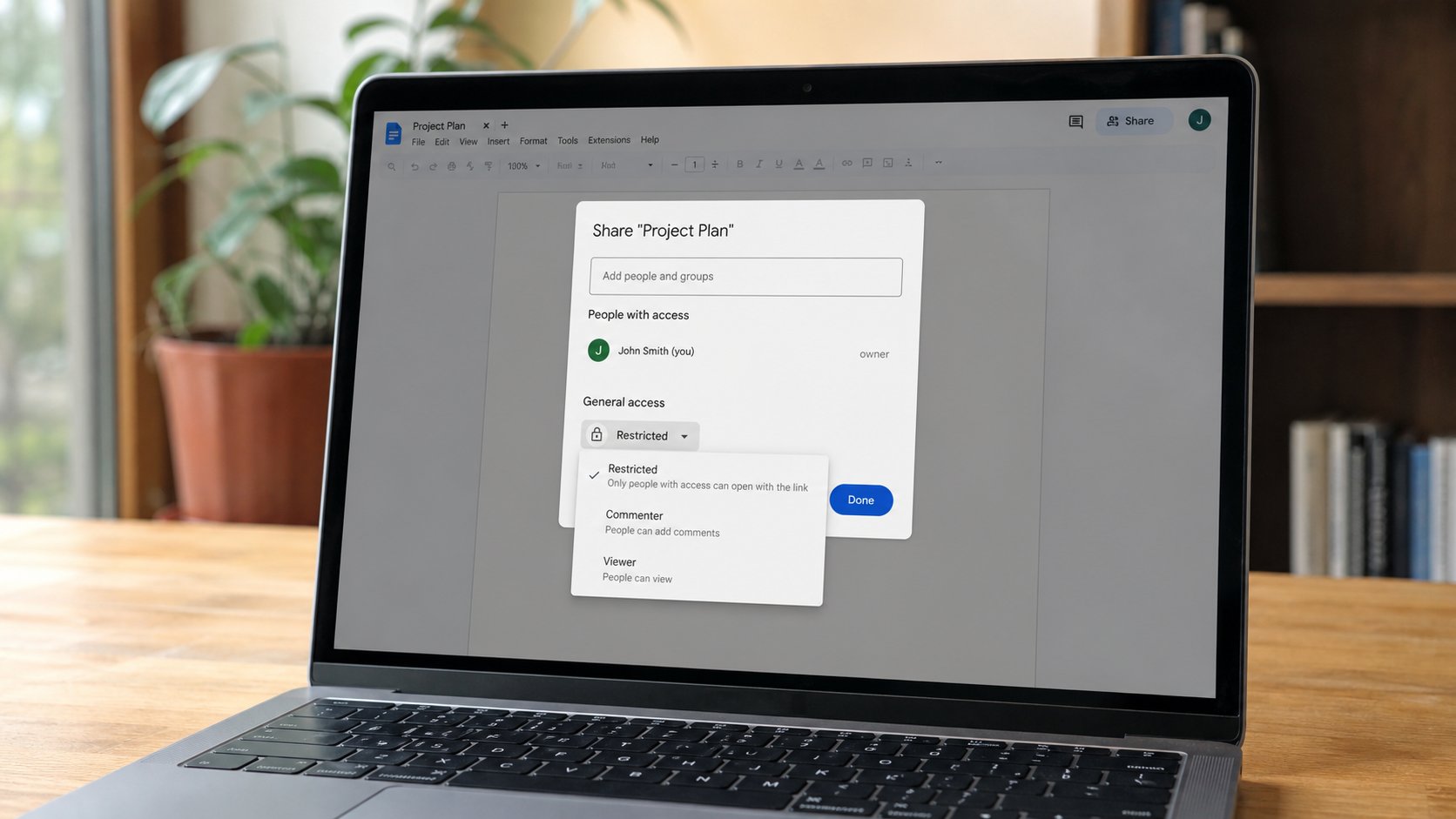
Turn on Suggesting only when two people agreed to share a draft. If you only needed them to read, Viewer, no comments even, or Commenter without Editor. A stranger with Editor and a loud Suggesting session is how a CV becomes someone else's. Share settings first, comments second.

- In a practice doc, select one word, add a comment, resolve it. Confirm the word did not change.
- If Docs offers Suggesting, type one suggested word. Reject it. Confirm the original returned.
- Do not comment on a passport number in a file shared with Anyone with the link.
- When a thread is finished, Resolve. A page of old notes is a second letter nobody asked for.
Email comments, and what not to @
Some tools mail you for every comment. That can be a tap on the shoulder. It can also be a siren. Mute a document you only needed to send. @name in a comment notifies that person if they are on the share list. Do not @ a list. Do not paste an OTP into a comment. The margin is not a vault.
A comment is manners for two desks. It is not a court. You may disagree in a short reply, then edit the body yourself if you own it. When the page is clean and the margin is empty, you are done. Download the PDF if the office wants a plate without notes. Notes are for the kitchen. The plate is for the tray.