This lesson explains what public wifi can and cannot see, and when to do your banking on mobile data instead. You will learn the safe habits for cafe, hotel, and campus networks, and the tasks that should wait.
Public wifi is shared. The router owner and anybody with the right skills on the same network can see which sites you visit, and older networks can expose more than that.
Before you start
- A phone with mobile data available as an alternative.
- About ten minutes.
What a shared network sees
- The names of the sites you visit, even when the page itself is encrypted.
- Any page without the padlock, which is readable in full.
- The times you connected, on the router owner's records.
- Your device name, which is often your own name.
- The files you share if file sharing is switched on.
- Nothing at all on an encrypted site, as long as the padlock is genuine.
You will see a padlock beside the address in the browser and a warning that says Not secure when it is absent. A missing padlock on a bank page is the signal to stop.
It looks like the padlock makes any network safe. It protects the page between you and the site, and it says nothing about who owns the router.
Move these tasks to mobile data
- Banking, and anything that moves money.
- Buying with a card, including online shopping.
- Changing a password, which is the worst thing to lose on a shared network.
- Opening an email that contains a reset link.
- Anything with a passport number or a BVN.
- For everything else, such as reading news and watching a video, public wifi is fine.
Mobile data is not perfectly private either, and it is not shared with the stranger at the next table. That difference is enough for a two-minute banking task.
You will see the wifi symbol disappear from the top bar as you switch, and the mobile data arrows take its place within a second. The bank page then loads exactly as it does at home.
Habits for the network you did not set up
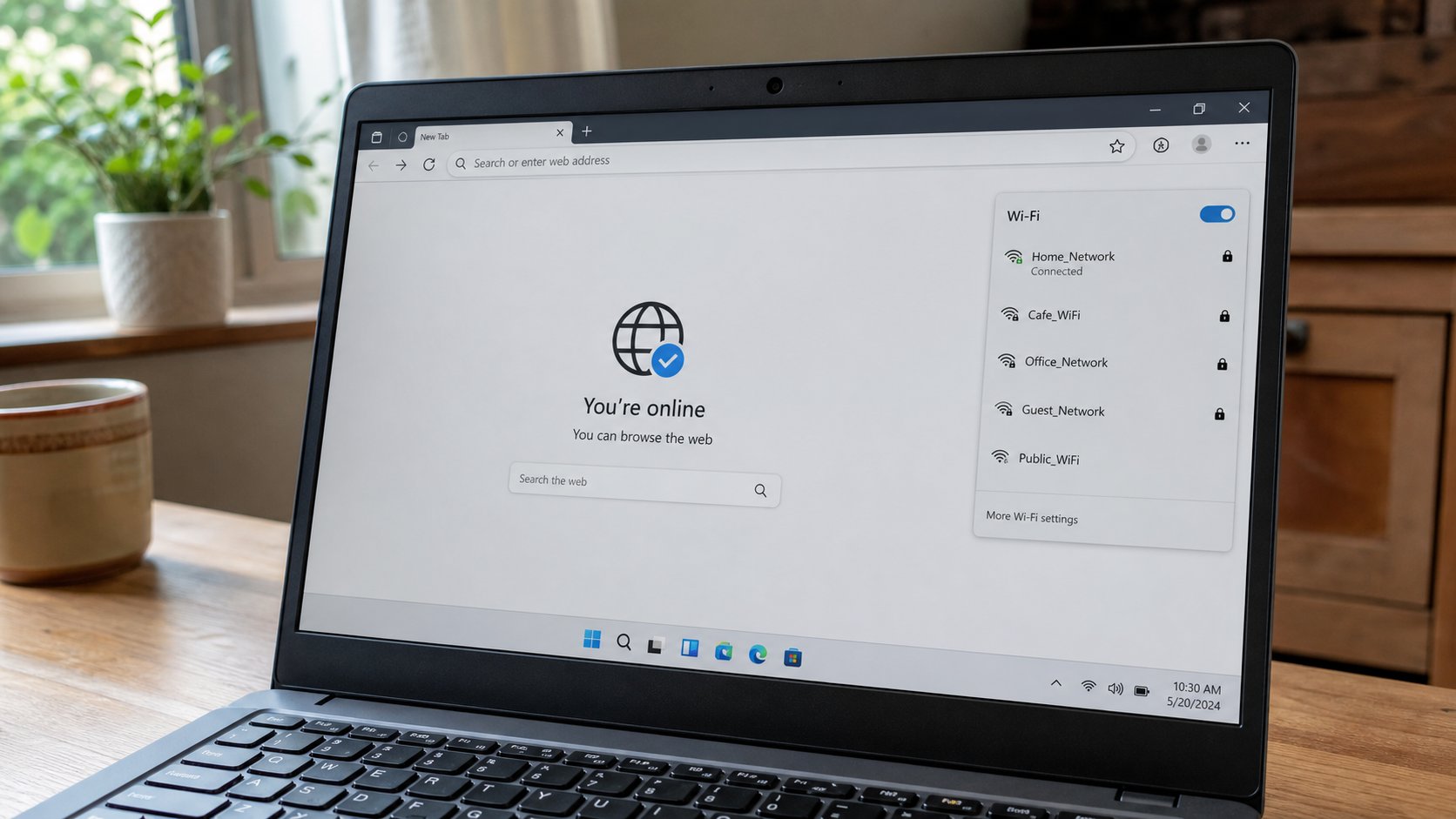
- Ask the staff for the exact network name, since copycat names are common.
- Avoid networks that ask you to install a certificate or an app.
- Turn off file sharing in the system settings before you connect.
- Sign out of accounts when you finish, rather than closing the tab.
- Forget the network when you leave, so the phone stops rejoining it.
- Use a page that needs a login only if you must, and sign out afterwards.
None of this needs extra software. Careful choices cover almost every risk on a shared network.
In the browser settings, a page that is not secure shows a small warning beside the address. Tap that warning and a short explanation appears, naming what is missing.
Do not worry about the data bundle. A banking session uses a few megabytes, which is less than one video.
If it goes wrong
All of these are fixable.
- The browser warns the certificate is not valid: leave the page. A warning is never a formality.
- A network asks for a card number to connect: refuse. Real venues do not charge for wifi in that way.
- You banked on a shared network by mistake: change the password on mobile data, then call the bank.
- The signal keeps dropping mid-transfer: check the transaction on the bank's app before retrying.
- A page looks slightly wrong, with strange fonts: close it and type the bank's address yourself.
- Your phone reconnects on its own later: forget the network so it cannot.
Practice
Practise the switch once, on a day nothing is urgent.
- Connect to any public network and find the padlock in the address bar.
- Turn wifi off and confirm the phone is on data.
- Open your bank's app on data and sign in.
- Sign out and turn wifi back on.
- Forget the network before you leave.
You can now use a shared network without carrying the risk home. In the next lesson you will read the message that says you have won something and pay nothing.
Free browser practice lab
Check readiness in Self-Assessment Studio
Take a quick browser diagnostic and get instant feedback.